Tagged: Learning Systems Update CarmenCanvas
furia.4@osu.edu | July 27, 2026
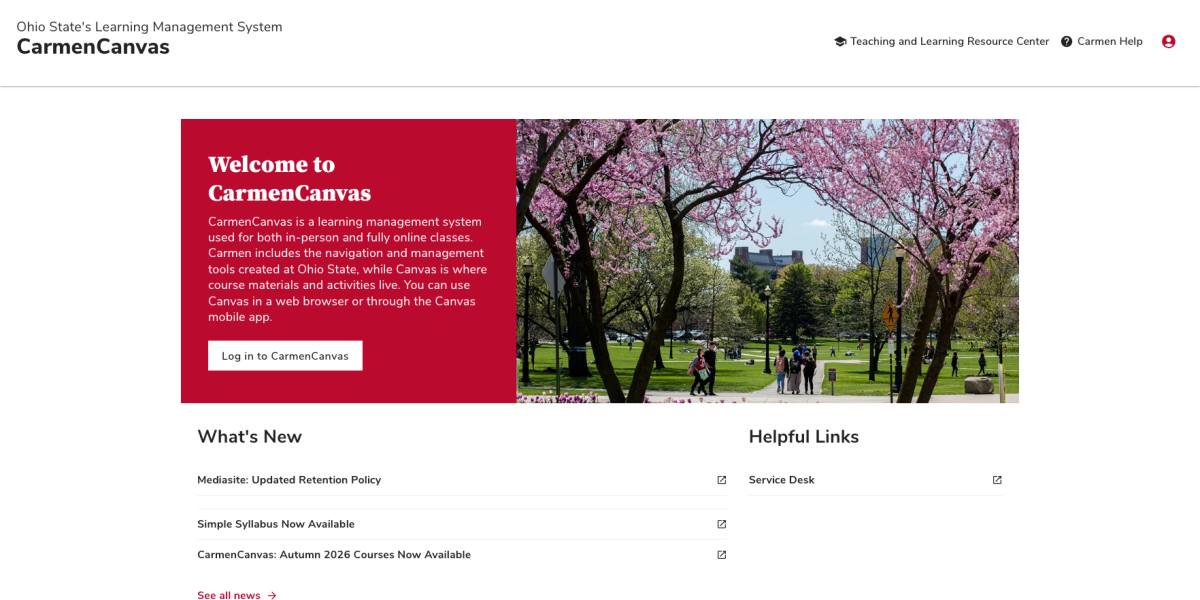
On the afternoon of July 28, Ohio State students and instructors will start to see the redesigned CarmenCanvas landing page. The updated site was created to provide a better user experience with a modern design and improved accessibility.
Learning Systems | April 23, 2026
Course shells for the Autumn 2026 semester are now available!
Instructors can find their academic course shells on their . The courses will also appear on the preview site for the new .
Learning Systems | April 15, 2026
The option to bulk edit the roles and sections of users in Manage Participants is now available.
Users can find this option within their course rosters in Aegis's Manage Participants section.
Learning Systems | February 11, 2026
A new feature has been added to Gradebook Settings in CarmenCanvas that will make it easier to identify which submissions are late, missing, excused, etc.
When enabled, a symbol will display in gradebook columns where assignments have due dates to provide a visual indicator along with the color indicator.
Learning Systems | December 12, 2025
Learning Systems has enabled the Honorlock App as additional functionality for instructors already using Honorlock. If instructors use this option, students will be asked to download and install a separate app. The app runs in the background while students take their Honorlock-enabled exams using Chrome with the Honorlock Extension enabled.
Learning Systems | November 19, 2025
Course shells for the Spring 2026 semester are now available!
Instructors can find their academic course shells on their Carmen Landing Page or by using the Aegis platform. Check under the "Manage Courses" card.
Learning Systems | November 19, 2025
As of November 19, Manage Participants has the Edit Sections feature. With this tool you can now change the section enrollments of your course participants at any time. For more information, visit the Teaching and Learning Resource Center.