The Make a Payment page provides various options for you to handle transactions regarding your account.
Select the option (

) to learn more about each transaction.
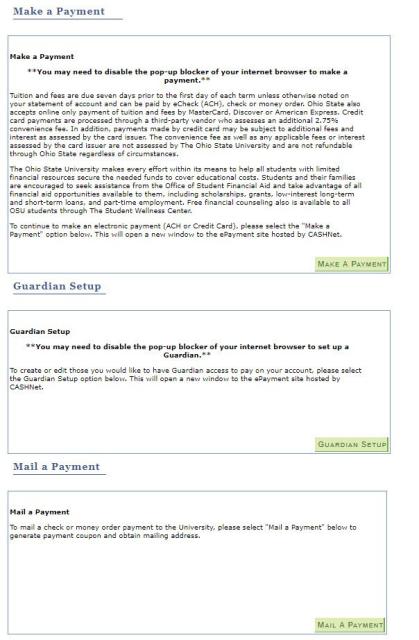
Options include:
Make a Payment
- Make ePayments using a personal savings or checking account or credit card.
Guardian Setup
- Create a Guardian account to allow a parent or guardian to make a payment on your behalf.
Mail a Payment
- Print off a payment coupon to mail with your payment.