Employees can add external training to their transcripts to maintain a record of training completed outside of BuckeyeLearn. All external training must be approved by the employee’s manager before moving to their completed transcript.
Add External Training
- Open your transcript.
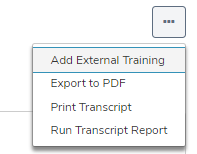
Click the Options icon

.
Click Add External Training from the dropdown menu.
Complete the Add External Training page.
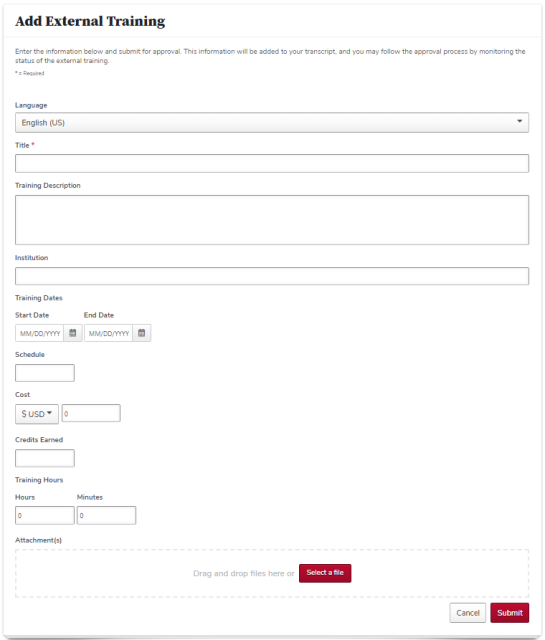
Add Attachment(s), if needed.

Click the Submit button

.
Click the Mark Complete button

on the same line as the training on your transcript to start the approval process.


Edit and Resubmit External Training
- Click the training title on your transcript.
Click the Edit External Training link.

Click the Request Completion Approval button

to resubmit your external training for approval.

Remove External Training From Your Transcript
If your manager denies the external training, it will remain on your active transcript. You can remove the training from your transcript.