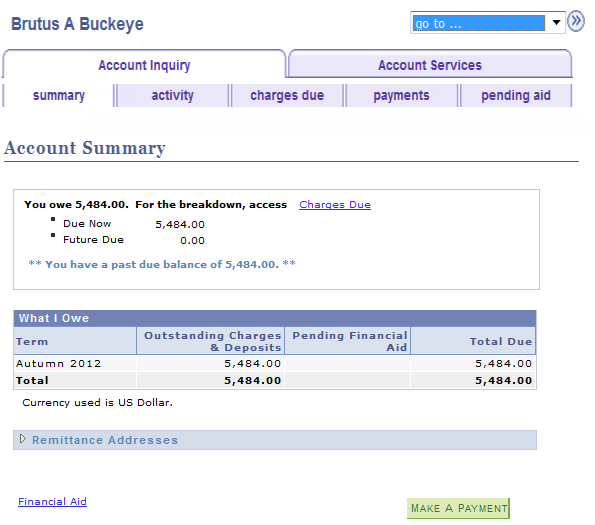
- The Account Summary page displays the balance of charges due now, future charges due and any past due charges.
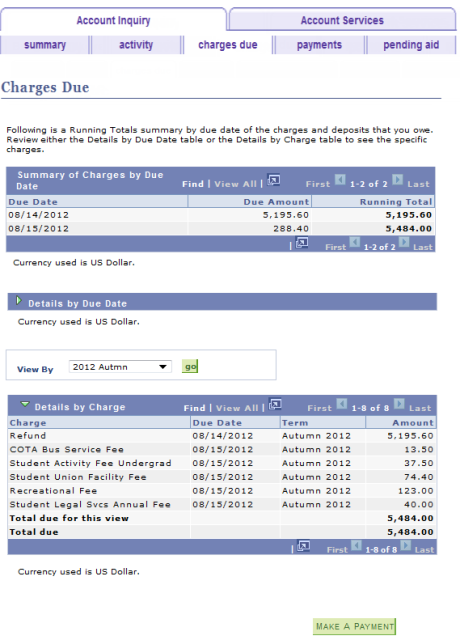
- You can get a more complete view of any charges by selecting Charges Due. This takes you to the Charges Due page.
- You can view the Remittance Address for the Bursar's office by expanding the Remittance Addresses drop-down menu.
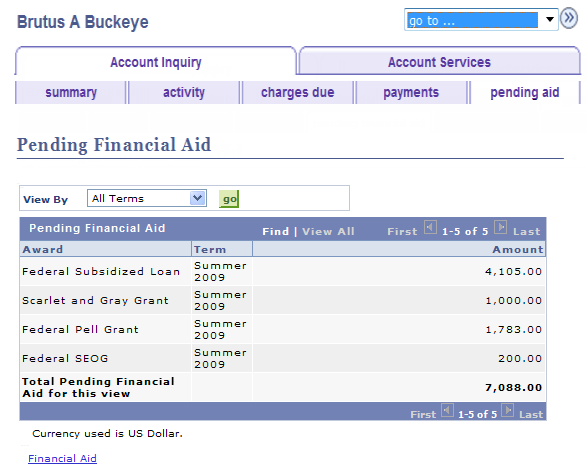
- You can view any Financial Aid information by selecting Financial Aid.
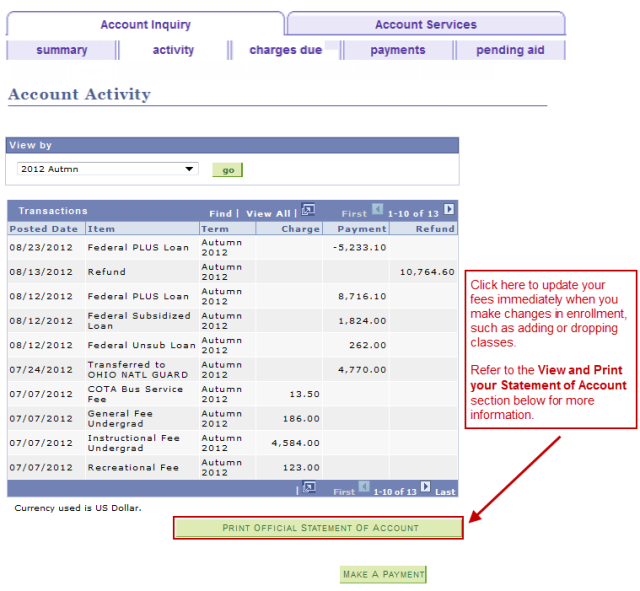
Account Activity
- View and print a Statement of Account
- View account activity for all terms or one specific term
Make an online payment (select
to jump to the Make a Payment page)
View and Print Your Statement of Account
If you wish to view your Statement of Account for the current term, skip to step 2. However, if you wish to view your Statement of Account for a different term:
- Select the View by menu.
- Select the desired term.
Select

- Select Print Official Statement of Account .
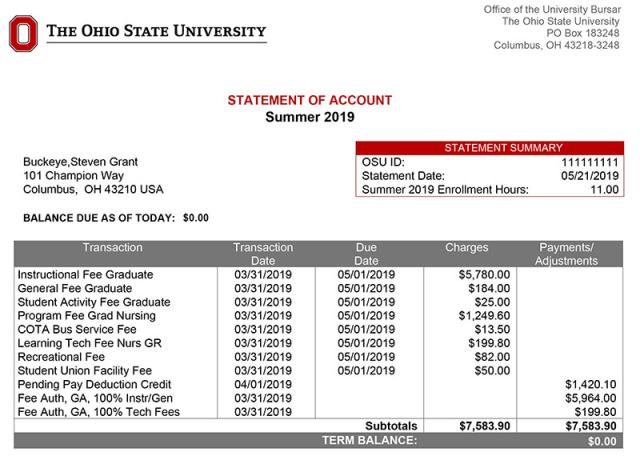
- The Statement of Account opens as a .pdf formatted file. You can print it to enclose with your payment.
- Clicking this button also recalculates your fees and updates your Account Summary information.
- See Understanding Your Statement of Account for more information.
Select

- You should return to the Account Activity page.
- You may have to refresh this page to display updated fees; either click your browser's Refresh button, or navigate to another page on your Student Center and then return to the Account Activity page.
View account activity by a specific term:
- Select the View by menu.
- Select the desired term.
Click
Charges Due
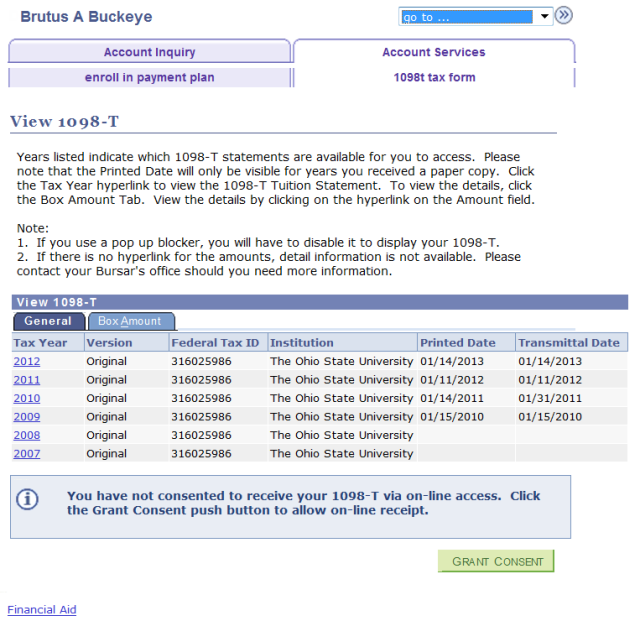
Students can view and print the 1098-T forms for tax filing purposes.
Universities are required to report this information to students to assist with the Hope and Lifetime Learning tax credit which may be utilized when filing an annual Individual Income Tax Return Form to the IRS. OSU staff are not tax professionals and cannot provide advice on completing a tax return form, the use of the information provided on the 1098T form, or provide services to compute tax credits.
In order to receive a paper copy, students must complete the following steps:
- Complete Consent Agreement.
- Submit Consent Agreement.
Once the Consent Agreement has been submitted, students can view 1098-T forms for applicable years in .pdf formatted files.
A printed 1098-T will be sent to eligible students via U.S. Mail.
It is imperative that eligible students have a valid address and SSN in the system in order to generate a 1098-T for their account.
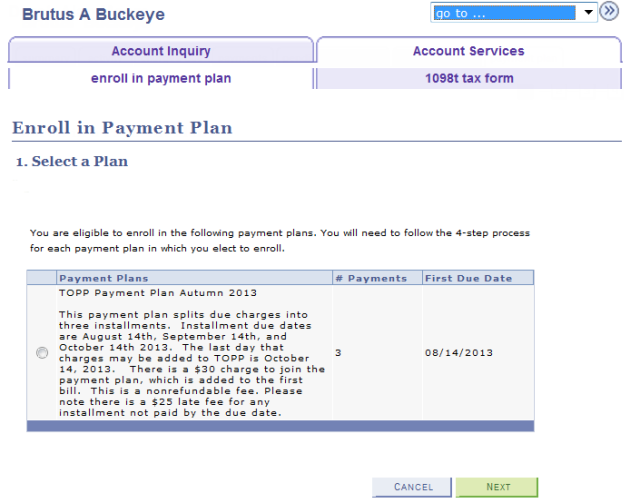
The Payment Plan page allows you to enroll in the Tuition Option Payment Plan (TOPP). For additional details about TOPP, including a step-by-step instruction guide for how to enroll, visit the Enroll in Tuition Option Payment Plan job aid.