The Course Catalog Search page enables you to search for courses at any or all campuses of The Ohio State University.
You will start from the Course Catalog Search page.

Specify your desired search criteria.
There are many possible combinations of search criteria, but keep the following notes in mind:
- Institution is always "The Ohio State University"
- "Columbus" is the default Campus. Select an alternate campus or check Check for all campuses to search all campuses.
- Catalog Nbr (Catalog Number) defaults to "Begins with", but if you know the exact catalog number you can select "Exact Match" to limit your search results.
- Use Course Attribute to search for or by General Education Requirements (GECs), Academic Level, Bridge courses, Credit by Exam, Flexibly Scheduled classes, Honors courses, Service Learning, or Workshops.
If you wish to use Course Attribute as a criterion, you must look up and select a Course Attribute and then a corresponding Course Attribute Value. For instance, if you look up and select "GEC" as Course Attribute, you could then look up and select a Course Attribute Value of "AH1" (Historical Survey), "AH2" (Literature), or any other GEC requirement.
- Institution is always "The Ohio State University"
Select

. The Catalog Search Results will appear.
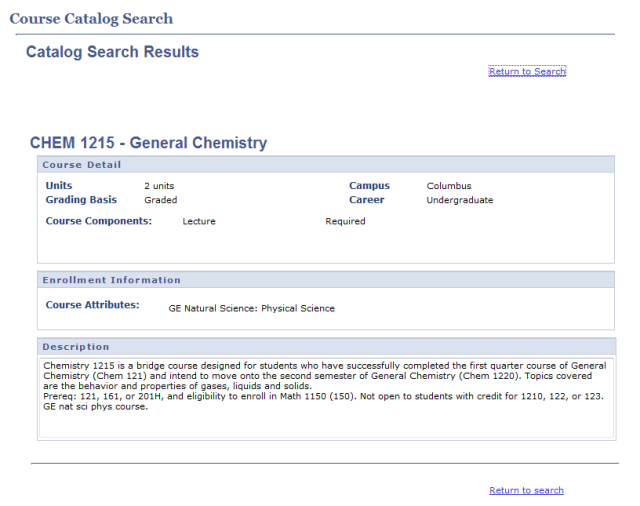
- Scroll down to see all courses that match your selected criteria.
- Select Return to Search to return to the main Course Catalog Search page.
Important Information
If you are looking for a specific class offering or section, refer to the Search for a Class procedure.