The Class Search page enables you to search for classes at any or all campuses of The Ohio State University.
- Navigate to the Faculty Center page.
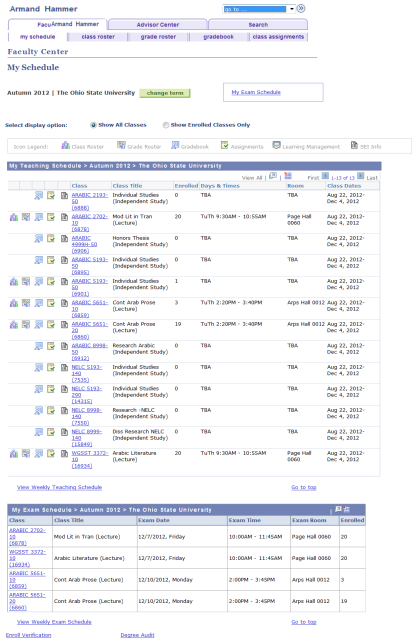
- Click the Search tab. The Search for Classes page will appear.
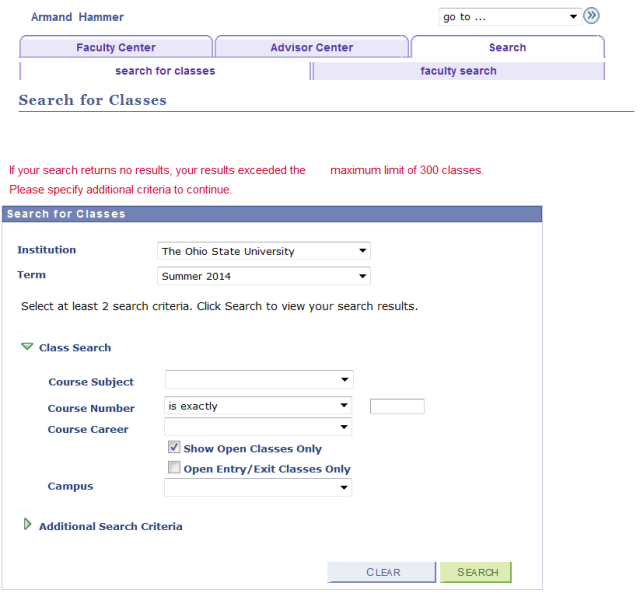
- Enter class search criteria.
- [Optional] Select Additional Search Criteria to reveal more options.
- The illustration below depicts the bottom half of the page after clicking Additional Search Criteria.

- Specify your desired search criteria.
There are many possible combinations of search criteria, but keep the following notes in mind:
- If selecting the Columbus Campus location, it is strongly recommended that other filters also be added to minimize the time needed to return the search. Notice the message that your search will "exceed the maximum limit of 300 sections" and to "specify additional criteria".
- The Show Open Classes Only checkbox defaults as selected. Unchecking this box will show open, closed, and wait listed classes.
- Use Course Attribute to search for or by General Education Requirements (GECs), Academic Level, Bridge courses, Credit by Exam, Flexibly Scheduled classes, Honors courses, Service Learning, or Workshops.
- If you wish to use Course Attribute as a criterion, you must look up and select a Course Attribute and then a corresponding Course Attribute Value. For instance, if you look up and select "GEC" as Course Attribute, you could then look up and select a Course Attribute Value of "AH1" (Historical Survey), "AH2" (Literature), or any other GEC requirement.
Click

. The Class Search Results will appear.

- This page initially displays only 3 sections, even if there are more listed. Select View All Sections in the blue header bar, as necessary, to view all sections of a given class.
- Each course may have multiple listings on this page. If this is the case, locate the class you wish to view and click its View All Sections link.
- Click the Section link for more information on that specific section. The Class Detail will appear.
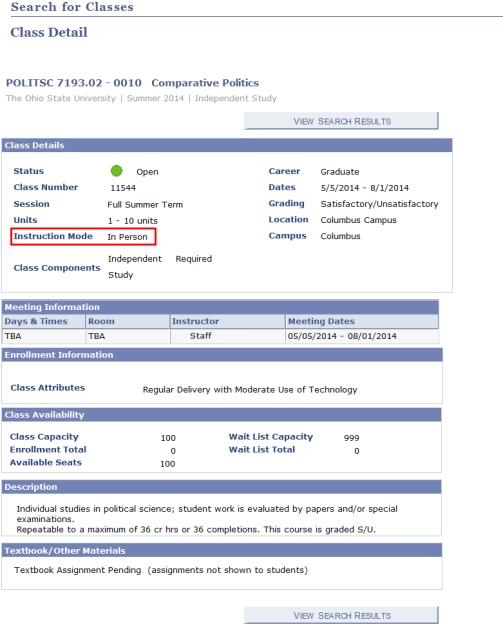
Note the Instruction Mode, which is outlined in red in the example above.
Available Instruction Modes include:
- Clinic Field Experience
- Computer Taught
- Distance Learning
- Flexibly Scheduled
- In Person
- Video Taught
- Workshop
- Meets Online & In Person
The following two examples depict Class Details with Instruction Mode of "Distance Learning" and "Computer Taught", respectively (outlined in red).
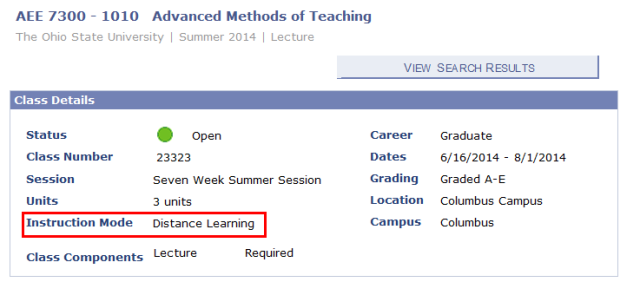

If desired, use the Mode of Instruction in Additional Search Criteria to limit your search results to a specific Instruction Mode.
- Select View Search Results to return to the Class Search Results.
From Class Search Results, you can:
Select

to modify your search results.
Select

to return to the initial Class Search page.
Important Information
If you are looking for the Course Catalog, which contains all courses offered by Ohio State, refer to the Search for a Course procedure.