From the Faculty Center page, select the Advisor Center tab. The My Advisees page appears.

From this page you can:
- Email a student directly by selecting their name, or email as a group using the notify selected students or notify all students buttons.
- Select View Student Details to view the advisee's Student Center.
- Select View Data for Other Students to view drop-in advisees.
New Drop-In Advisees
The Drop-In Advisees function is useful if a student is interested in your program; it enables you to view their record for reference.
- Select View Data For Other Students.
- Search for the student using their OSU ID, their Campus ID (name.n), or their Last Name/First Name.
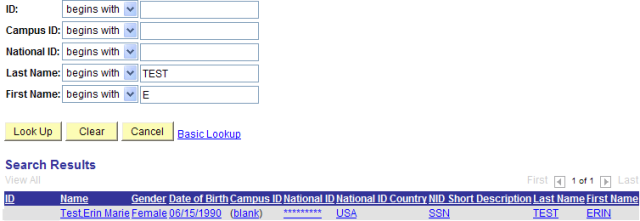
- Select the student. You will see the New Drop In Advisee's Student Center.

- Select the information you wish to view.
Select

to send an e-mail directly to the student.
Student Center
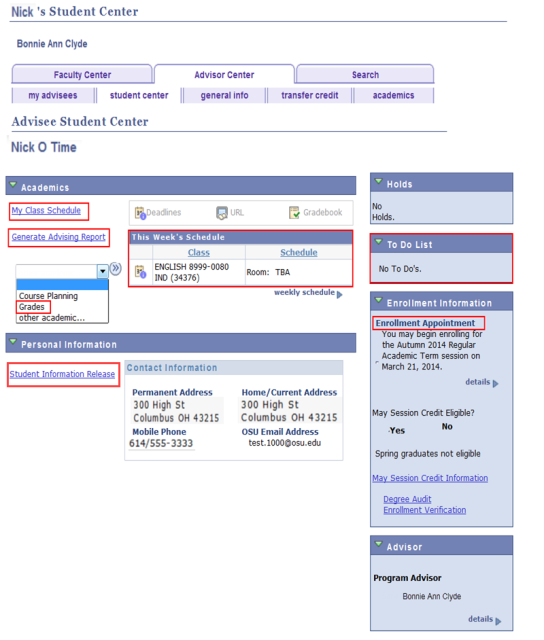
From this page you can access the following information.
- Advising Report
- Class Schedule
- Enrollment Appointments
- Grades
- Student Information Release
- To Do List
Advising Report
The Advising Report will open in a PDF format in a new window or tab. Close the new window or tab when you are finished reviewing the Advising Report.
Class Schedule
Before viewing the Class Schedule, you will be prompted to select a term.

Select a term and click
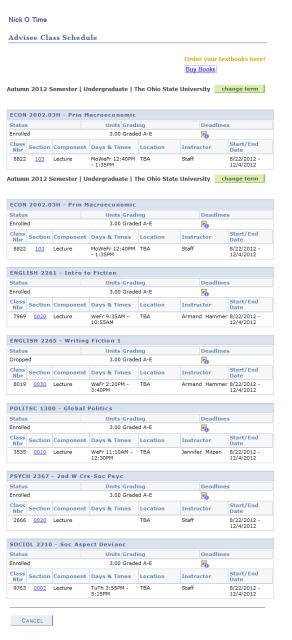
The Advisee Class Schedule page will appear.
Select

to return to the Student Center page.
Enrollment Appointments
Before viewing the Enrollment Appointments, you will be prompted to select a term.

Select a term and click
The Advisee Enrollment Appointments page will appear.

Select

to return to the Student Center page.
Grades
Before viewing Grades, you will be prompted to select a term.

Select a term and click
The View My Advisee's Grades page will appear.

Select

to select a different term.
- Select the Class link to view the class detail.
- Select Printer Friendly Version to view a print-formatted version.
Select
to return to the Student Center page.
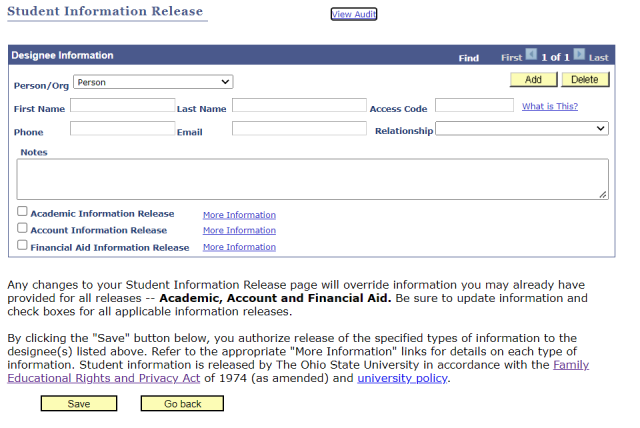
View Student Information Release
The Student Information Release page shows any person or organization a student has authorized to receive information. On the Advisor Center tab,
- Click View Student Details.
Under the Personal Information section, click Student Information Release.
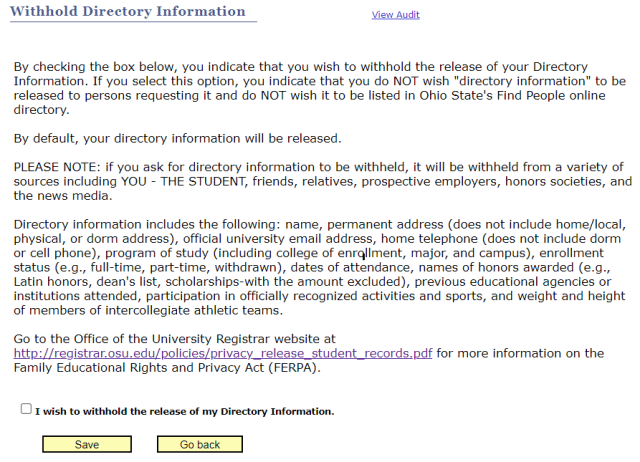
- Click the Withhold Directory Information tab to view a student’s “directory information” preference.
To Do Lists
The To Do List houses items that need to be completed or actions that need to be taken by a specific date. Specifics of To Do items vary depending on the university office that created the item. Currently the Financial Aid, Student Health Insurance and Admissions offices utilize To Do lists. For more information on To Do Lists, refer to the My Buckeye Link Reference Guide.
In this example, the student has two To Do items on their list.

Select
to return to the Student Center page.
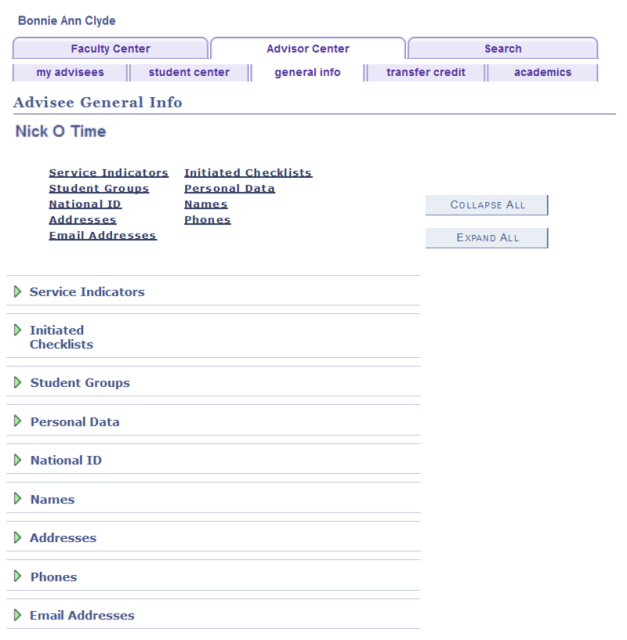
General Information
This section displays academic information including the student's bio demographic information.
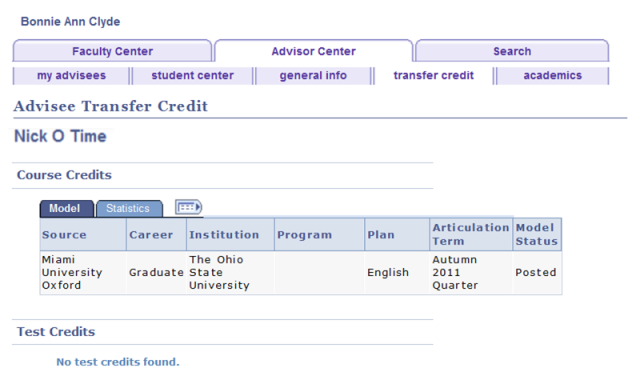
Transfer Credit
Transfer Credits are viewed on the Course Credits tab. If this student had test credits, they would be available on the Test Credits tab.
Select
to return to the View My Advisees page.
Academics
This section displays academic information including the student's Institution, Program, Career, and Academic Plans.
