Take an Online Course, Video, or Material
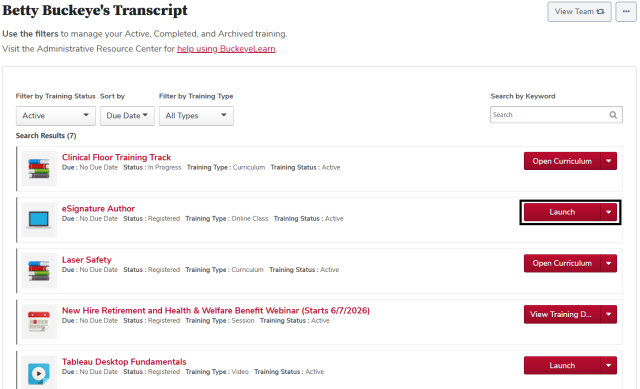
- Open your transcript.
Click the Launch button
on the same line as the training you want to take.
Take a Curriculum
- Open your transcript.
Click the Open Curriculum button
on the same line as the curriculum you want to open.
Click the Activate button
on a curriculum item, if needed.
Click the Launch button
on a curriculum item.
Completing Training
Depending on the training you take, your completion is recorded in one of several ways:

Instructor-Led Training: completion is recorded when your attendance is submitted by the instructor or an administrator after your session. Depending on the course, you may need to complete an evaluation before your completion is recorded.

Online training: completion is recorded when you have met the requirements for completion in the course. This may include viewing a certain number of slides or getting a certain score on a quiz.

On the Job Training: completion is recorded pending an observer's report when you click the Notify Observer button
and select an observer. Completion is finalized when the observer records their observation as passed.
Material: completion is recorded when you click the Mark Complete button

on your transcript after reviewing the material.

Video: completion is recorded when you click the Mark Complete button
on your transcript after reviewing the video.

Curriculum: completion is recorded when you have completed all of the required training in the curriculum.