Contacting Medical Center users is slightly different because they have two identities, a lastname.#@osu.edu identity in the university systems but also a unique medical center identity which is firstname.lastname@osumc.edu. The Medical Center users are part of the Medical Center Teams system and to communicate using Teams you will need to use their Medical Center identity.
In the Teams client we will start by searching for the Medical Center user in the Search field located at the top of the main client window
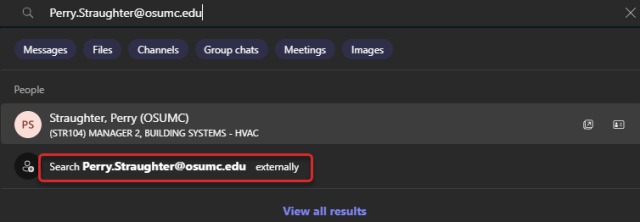
Type in the firstname.lastname@osumc.edu (or their email address ending in @osumc.edu). You may see the name with (Guest) after it. That is not the correct choice. Currently selecting the entry with (OSUMC) will not work. Select Search firstname.lastname@osumc.edu externally. This will search the system for the correct medical center account.
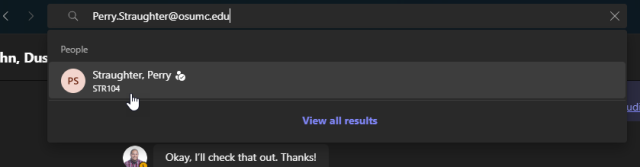
Once you choose the correct search contact the search display will update. Click on the correct contact (typically it will be a variation of letters and numbers). This will open a conversation window with this user to allow you to send IMs or make calls to the medical center user.
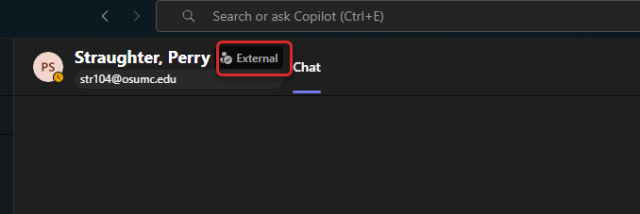
See the conversation screen and notice the External indicator.