Microsoft 365 Access Reviews of External Guests is an initiative designed to align with audit recommendations for reviewing Microsoft 365 Teams and group members. The goal of the initiative is to ensure that owners update access for external users on a regular basis, ensuring users external to the university who have worked or are working with the university have the appropriate access to Ohio State data.
The Access Review policy calls for all Microsoft 365 Teams and Group owners to perform an annual review of any External Guest members.
This process uses the Microsoft Access Review platform. You may refer to the Microsoft instructions for how to perform access reviews.
Access Review Process Information:
- Access Review notifications are sent annually in November. Teams and Group owners will have 2 weeks to complete the access review. Teams and Group owners will receive multiple reminders during this time to remind them to review of group membership.
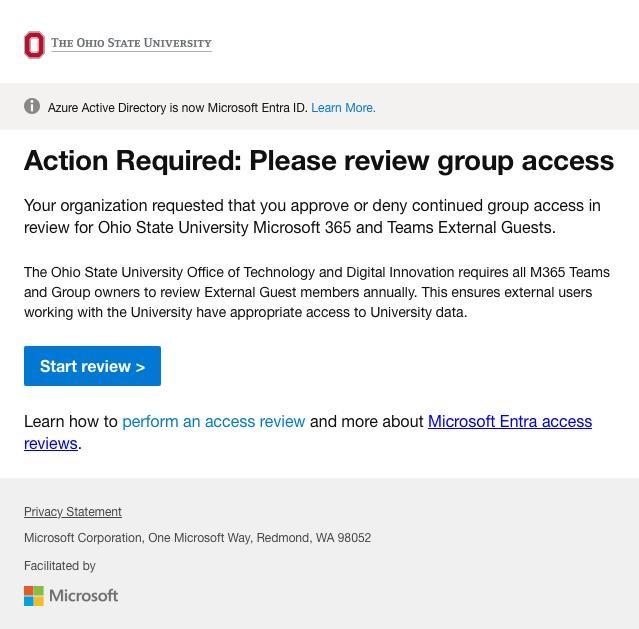
- Email notifications are sent from Microsoft security<MSSecurity-noreply@microsoft.com> with the subject “Action required: Review group access.” Click the Start review link to open the access review.
Example Email:
- The scope for Access Reviews is limited to only users external to the University – for example users like: alice@indiana.edu, bob@gmail.com or sarah.michelle.gellar@osumc.edu. University Sponsored Guests are excluded from review, as they are considered internal accounts.
- During the review period you may manage your access reviews by signing in to the My Access portal.
- Please perform the required Access Review for your Team’s guest users, approving or denying access as appropriate. You may also consider the system recommended action generated based on the guest user's last 30 days sign-in activity.
Please note:- If a user is denied access, they are not removed immediately. They are removed from the Group/Team when the review period has ended.
- If there are multiple reviewers, the last submitted response is recorded.
Info.