Users can set their caller ID to Anonymous by going to Settings > Calls, and then under Caller ID, select Hide my phone number and profile information for all calls. It takes a few minutes for this setting change to reflect on new calls.
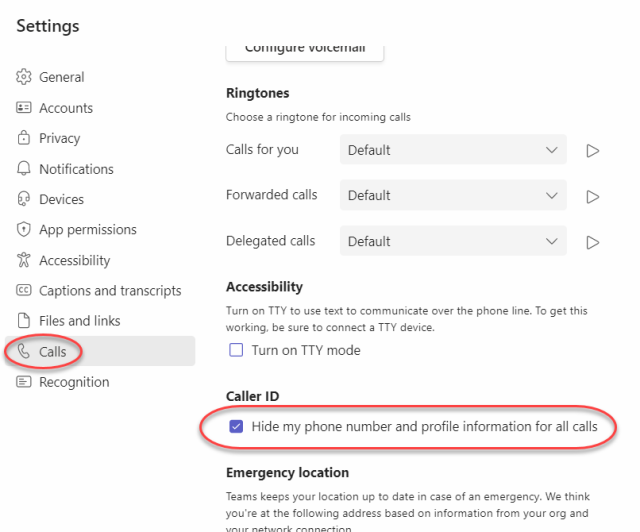
Users can set their caller ID to Anonymous by going to Settings > Calls, and then under Caller ID, select Hide my phone number and profile information for all calls. It takes a few minutes for this setting change to reflect on new calls.