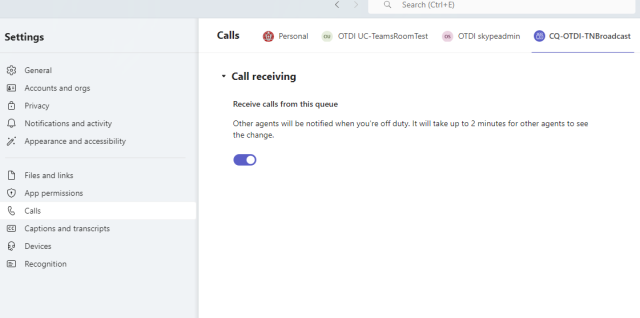
A “formal” Call Queue allows agents to opt in or out of taking calls in a queue they are assigned in.
To opt in or out please follow these instructions, whether you are on the Teams Desktop Client or on the Web interface.
Log into Microsoft Teams on your desktop Computer or login to Teams via the web.
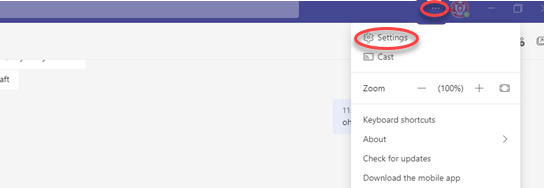
Click on the ellipses in the upper right corner and open settings
Select Calls and Choose the desired Call Queue along the top. From here you will have the ability to set if you receive calls from the formal call queue or not. If the call queue is informal the toggle will be grayed out and you will not have the ability to opt out.