Paste the following link into the Microsoft Edge Browser (Create an InPrivate window, if you normally log into teams or other Microsoft accounts on Microsoft Edge) https://teams.microsoft.com.
Login into the OnCall account.
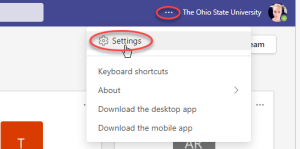
Select the ellipses (…) in the upper right corner and select Settings.
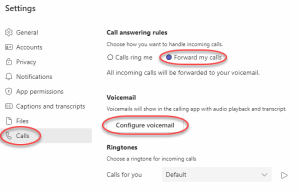
Select Calls from the left, click on Configure Voicemail.
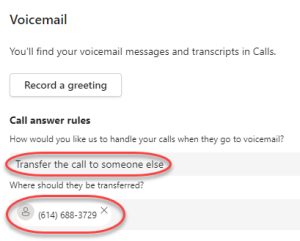
Under Call Answer Rules Select transfer the calls to someone else. Enter the 10-digit phone number of where the calls will be transferred for On Call. Press OK. Sign out of Teams Web.