You may occasionally need to withdraw from instructor-led in-person training or an online webinar. To withdraw,
- Open your transcript.
Click the down arrow on the View Training Details button on the same line as the course you want to withdraw from.
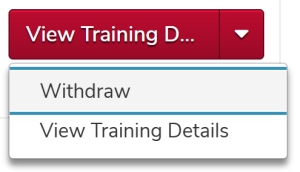
- Click the Withdraw option.
Select a reason for the withdrawal.
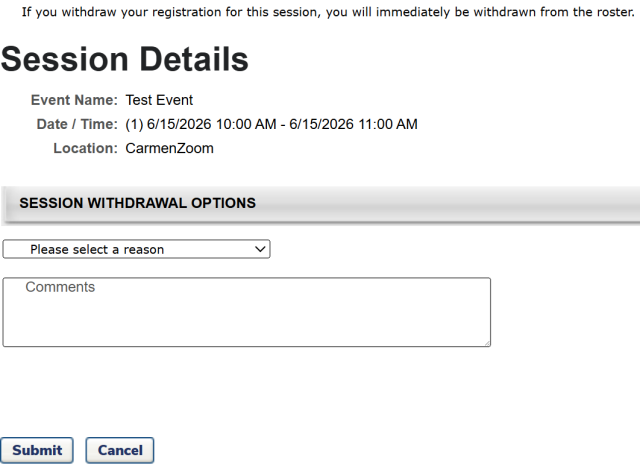
- Type comments, if desired.
Click the Submit button
.
Info.