Administrators can only archive learning objects complete with the appropriate permissions.
This function is not frequently used by administrators, but can be useful in certain situations. Archived training will still be visible in reports unless specifically excluded.
- View a learner's transcript.
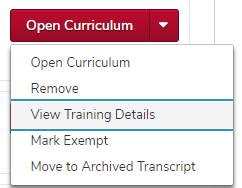
Click the View Training Details button

on the same line as the correct learning object.
Click the Move to Archived Transcript link

at the top right of the training details page.
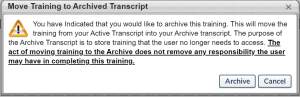
Review the pop up message, then click the Archive button

.