




Home

Empowering IT at Ohio State

We work in partnership with organizations across the university delivering technology resources to support our students, faculty, staff, researchers and guests.

Person working on laptop outside

IT for Students

Get tech ready with these tools and resources for students.

Two people sitting at a table outside looking at a tablet together

IT for Instructors and Staff

Find tech essentials and IT support for Ohio State employees.


Artificial Intelligence at Ohio State

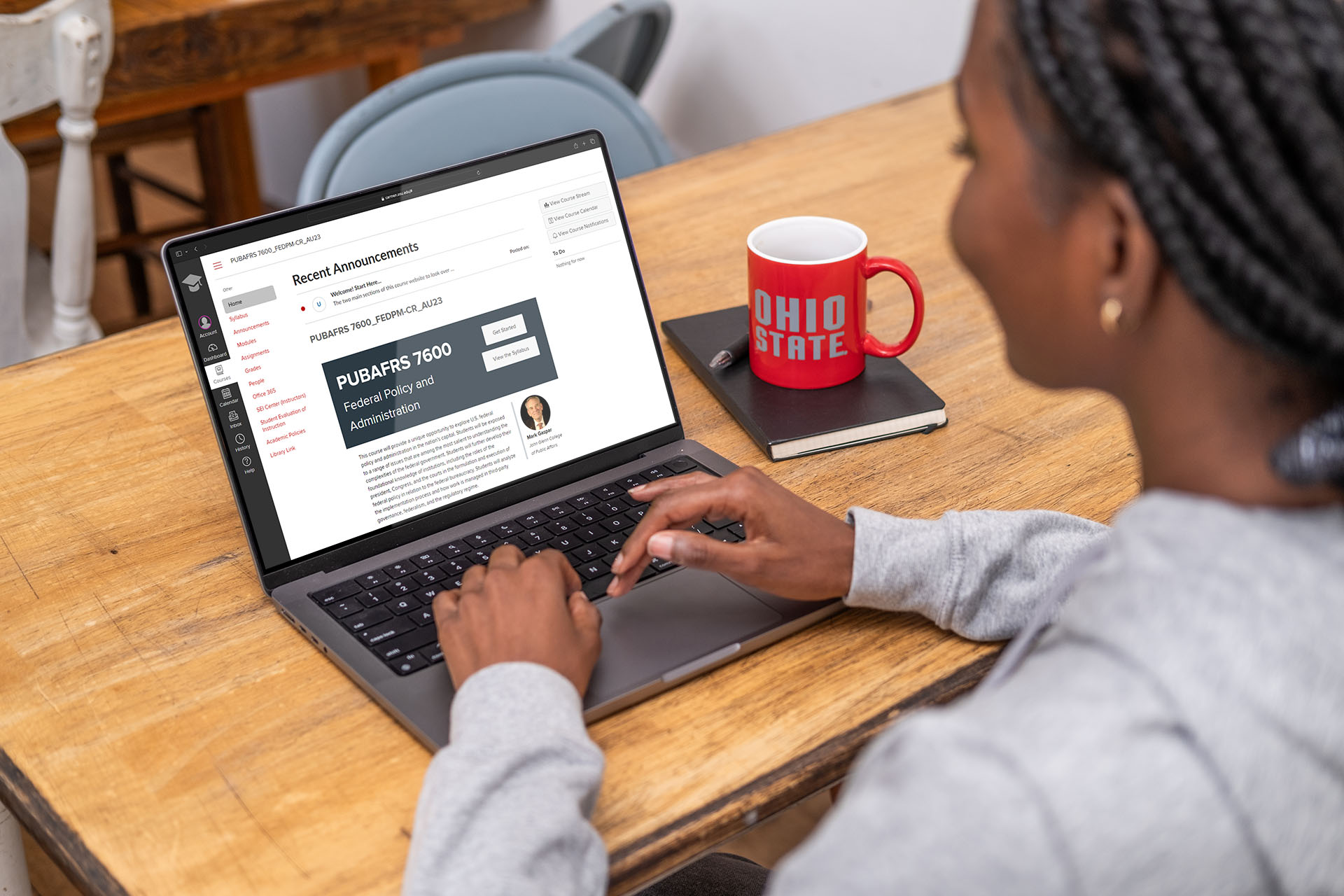
Person using a laptop with a Copilot icon on the screen and a Ohio State mug next to it

University AI Resources

Discover how to learn, teach and work with AI and find approved tools, responsible use policies, research initiatives, events, trainings and more.

A group of students smiling and looking at a laptop together

AI Fluency Initiative

This initiative will ensure that every Ohio State student, beginning with the class of 2029, graduates fluent in the application of AI in their field of study.


Featured Stories

  • OTDI Hosts Inaugural IT Conference

    More than 500 IT professionals joined together for the inaugural IT Conference at the Ohio Union on April 29-30. The conference sets the stage for a new tradition grounded in collaboration, curiosity and shared progress. Hosted by the Office of Technology and Digital Innovation (OTDI), the “Stronger Together” theme was evident throughout the two-day event. 

    “Our Stronger Together theme serves a purpose as we strive for one network, one identity and a comprehensive focus on security and support across the enterprise,” said Rob Lowden, The Ohio State University vice president and chief information officer for OTDI. “The real impact happens when we stay curious, learn from each other and turn those shared insights into action at scale.”

    The conference featured a keynote address by Angus Fletcher, followed by more than 30 concurrent sessions covering a range of topics, including artificial intelligence, cybersecurity, infrastructure, digital experience and service delivery. Sessions such as “Teach Your AI Well: Great Inputs Make Great Outputs,” and “AI as a Coworker: A Day in the Life” as well as “Unlocking Your AI Toolbox” highlighted practical applications of emerging technologies. There were also presentations such as “Building Better Services Together” and “The Value of an Enterprise Approach” focused on collaboration and operational excellence.

    Additional sessions explored innovations in network technologies, research computing, data stewardship and user experience design, as well as forward-looking concepts like an AI-integrated campus and digital twin capabilities. Presenters included IT professionals and campus partners from across the university, reinforcing the conference’s emphasis on shared expertise and cross-functional collaboration.

    The agenda also included networking opportunities, a sponsor showcase and a staff appreciation reception, providing attendees with opportunities to connect and exchange ideas.
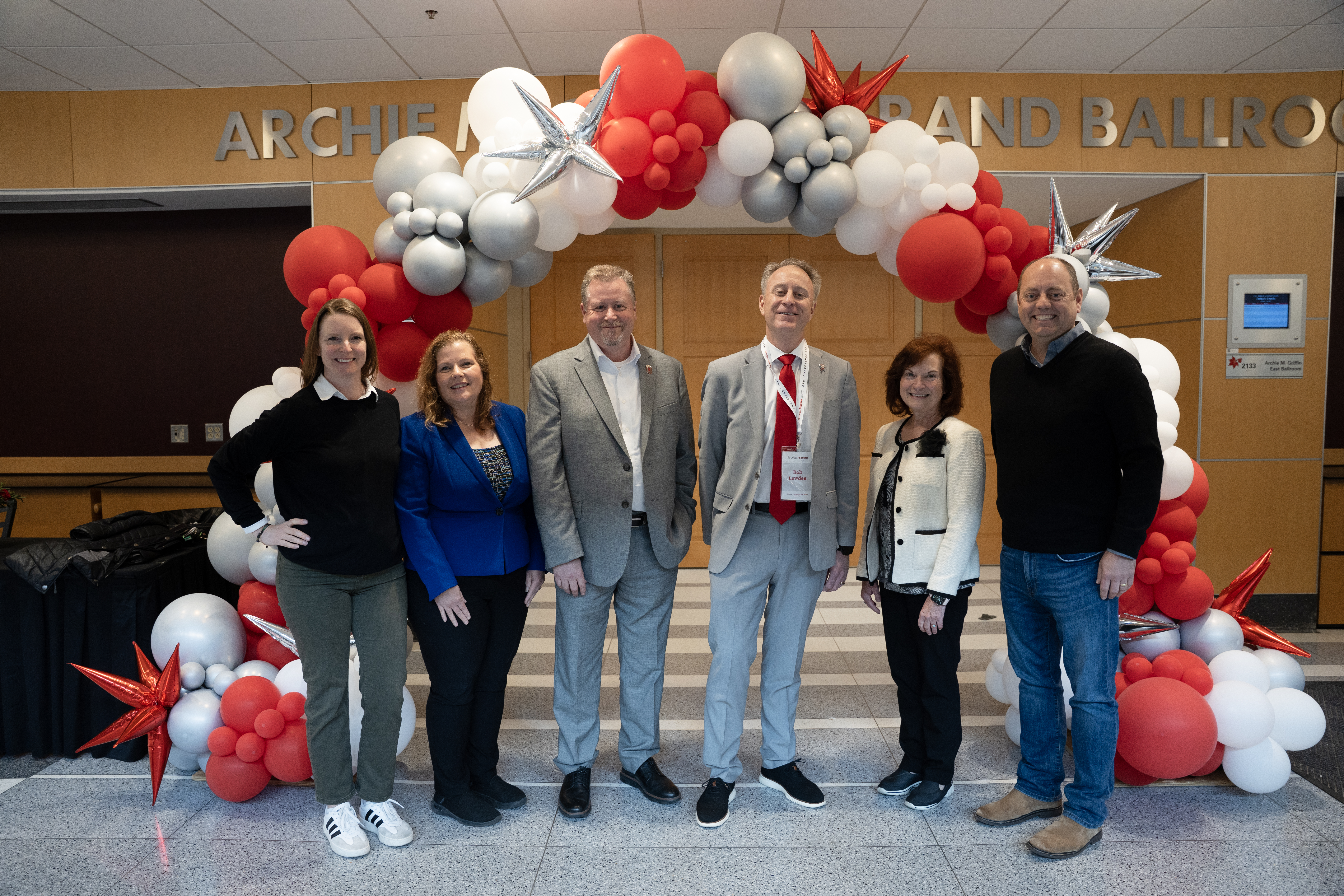
    OTDI senior leaders and event organizers.
  • Simple Syllabus Now Available

    Simple Syllabus, Ohio State’s new centralized platform for creating and publishing course syllabi, became available to faculty on April 23. The platform allows instructors to create syllabi using a university-wide template and enables the university to meet the requirements of Senate Bill 1 (SB 1). 

    After April 23, all courses in CarmenCanvas will display a link to Simple Syllabus. Instructors of undergraduate courses (level 5999.xx and below) are required to use Simple Syllabus to publish the mandated syllabus sections. This expectation will begin for Autumn 2026. Using Simple Syllabus for summer courses is optional; no parts of these syllabi will be public. In past academic courses and non-academic courses, selecting the link will display an error message, since these courses do not require the public syllabus.  

    Carmen course sites for Autumn 2026 became available on April 23, before the availability of Simple Syllabus.  

    Requirements 

    Instructors are responsible for completing the Simple Syllabus template for each undergraduate course they teach. A faculty-led committee is setting policy and expectations for the use of Simple Syllabus. More information about expectations and required elements is available on the Office of Faculty Affairs website. Information about SB 1 syllabus requirements will continue to be shared on the university Compliance website. 

    Training and Technical Support 

    Available resources include: 

    For technical support, email syllabus@osu.edu or call 614-6884357 and follow the prompts for the Carmen team. 

  • Important Update: Changes to Microsoft Copilot Chat 

    Beginning April 15, Microsoft began rolling out changes to where Copilot Chat (basic) appears across Microsoft apps. The basic version of Copilot, formerly called Copilot Chat, is paid for by the university and provided to all staff, instructors and students. One big change is that Copilot Chat will no longer appear on the toolbar ribbon directly inside the following Microsoft apps: 

    • Word 
    • Excel 
    • OneNote 
    • PowerPoint 
       

    This change applies to both desktop and online versions of these apps. You can continue to use Microsoft Copilot Chat through its standalone web experience.   

    **These changes do not affect users with an M365 Copilot (Premium) license. 

    Expanded Copilot Features and Capabilities 

    While Copilot Chat will no longer appear inside Office document apps, Copilot’s capabilities in Outlook are expanding. In Outlook, Copilot will be able to answer questions about your email, calendar, and meetings and take limited actions directly in Outlook. Microsoft rolls out these updates to users incrementally, so some users may not yet be able to see these features. 

    Here are a few examples of what you can ask Copilot in Outlook: 

    • “Summarize my emails from the past week related to [project name].” 
    • “When is my next 1:1 meeting?” 
    • “Draft an email summarizing this week’s customer issues.”  
    • “Schedule a meeting with my manager.” 
    • “Flag all unread emails from my supervisor.” 
    • “Set an automatic reply for next Friday.” 
       

    Copilot Chat in Outlook can now look across your entire inbox, calendar, meetings, and related enterprise data—not just individual email threads—even for users without a Microsoft 365 Copilot Pro license. This makes it easier to find key updates, stay on top of meetings and action items, and quickly triage email tasks like replying, flagging important messages, or accepting invites.  

    How to Continue Using Copilot with Office Documents 

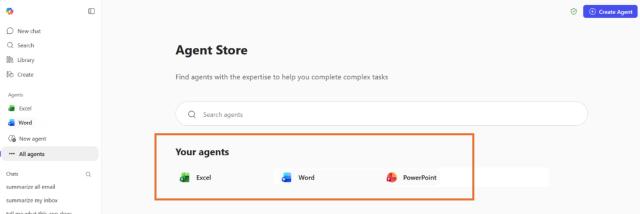
    In other apps like Microsoft Word, Microsoft Excel, and Microsoft PowerPoint, Microsoft 365 Copilot now offers more advanced, task-focused AI agents, turning ideas into complete documents, spreadsheets, and presentations. Instead of just answering prompts, Copilot can draft, organize, format, and refine content through back-and-forth chat—handling things like structure, data analysis, and visual layout—so you can quickly create polished, high-quality work with less manual effort. For the best experience, go online and choose the app you are using under “Agents” on the sidebar menu. 

    screenshot of Microsoft Copilot Agents

    You can still use Copilot to help with documents—such as reviewing writing or suggesting edits—by using Copilot on the web. Here’s an example of how to get feedback on a Word document.

    1. Go to Microsoft Copilot on the web and sign in with your Ohio State credentials. 
    1. Use the agent appropriate to your file – Excel, Word or PowerPoint. 
    1. Enter your prompt (for example: “Review this document for grammar, reading level, and clarity for a university research audience.”) 
    1. Select the + (Add content) option. 
    1. Choose Work content to select a document stored in OneDrive or SharePoint or to upload a file from your computer. 
    1. Hit Return to submit and have Copilot review the document. 


    As these changes roll out incrementally to users, you can continue to take advantage of Copilot’s capabilities through the Copilot web experience and expanded features in Outlook. Together, these options ensure the Ohio State community can keep using Copilot to work more efficiently—even as where it appears in Microsoft apps continues to evolve. 

    person typing into an AI chatbot
  • ADA Coordinators Office offers guidance on digital accessibility in academic courses

    In early March, ADA Coordinator Scott Lissner presented to the University Senate Committee on Academic Technology (CAT) regarding the Title II regulations that we are currently working toward fulfilling. Here’s what he had to say.  His remarks have been edited to create a comprehensible set of questions and answers.

    The U.S. Department of Justice extended the ADA Title II digital accessibility deadline by one year. For Ohio State, enforcement moves to April 26, 2027. This is not a pause. Faculty and staff should continue creating accessible research materials, teaching content, administrative documents, email communications and websites that support an accessible university for all.

    How is Ohio State handling Title II Regulations?

    Title II regulations apply to Ohio State as a public institution. They set a technical standard for access that covers documents as well as software. 

    The newer standards that we are currently implementing were passed almost two years ago. The biggest change is that the regulation requires us to go from a reactive model to one that is proactive and integrated into our processes. 

    Before, “reasonable accommodation” only required us to make materials accessible if a student asked; the system now focuses on ensuring digital content is usable by all students from the start, rather than waiting for a request. 

    The new regulations are more consistent with building construction standards in the ADA, building access ins up front. You don't wait until after the building is built to add an elevator because somebody can't use the stairs. 

    What were instructors expected to have completed by April 24?

    The good news is that regulators recognize that this is a big lift, and they don’t expect perfection on day one. In addition, with the recent announcement by the US Department of Justice, Ohio State's compliance deadline has move from April 24, 2026 to April 24, 2027.

    They do expect thoughtful, diligent progress. If you're doing what's been asked of you – if you're using the tools that are provided – that's a demonstration of a diligent process. Ohio State has been encouraging and helping people to use the tools that have been made available centrally, or that are integrated into other tools that we’re already using. 

    Of course, because the deadline has been delayed, instructors still have plenty of time to remediate anything that is not accessible. We encourage you to continue to make progress, as it will put you in a good position next year.

    What if I am unable to find a clear path to make a specific type of content accessible?

    Content for specific disciplines adds a level of complexity. For example, creating an accessible planetarium presentation is much different than doing an accessible presentation in Intro to Psych, which is different than doing statistics, dance notation, notation in math, physics or chemistry, etc. 

    There will be places where a unit recognizes that the ADA Coordinator’s Office may need to give you help with a particular hurdle. The office is trying to anticipate as many of those as possible and has started a process to look at them, but it's a large university and there will be surprises. We are creating a path for departments to report these issues.

    What level of progress is considered compliant? 

    Because the ADA is a civil rights law, assessing our compliance isn’t one-dimensional—it requires evaluating accessibility, usability, and equity across multiple areas rather than asking a single question like ‘how equitable are we?

    For some courses, for example, Intro to Psych, most of that material is fairly flexible, fairly workable and subject to the scans available in Ally and the tools available in Word and Adobe.  But if someone is teaching statistics, it's going to be a different kind of progress because some of it may be training and tool acquisition and learning how to use LaTex to set up formulas rather than trying to use an image of the formula. 

    The regulations recognize both the transition hump and the fact that a digital environment is always in constant change, so they assume imperfection and assume there will always be something in progress – new material, new software that isn't always up to speed as it comes out the gate and is being worked on. 

    The critical piece of progress in round one is ensuring you know your priorities, and you are working on the ones that are at the top of the priority list. Have you taken those first steps? No one is talking about being 100% accessible. We will look at our progress and ensure that progress is being made across multiple areas. 

    Because the ADA is a piece of civil rights legislation, and it's kind of hard to talk about it from one dimension as “how equitable are we?” There’s not an ordinal measure (e.g 80% accessible) that really works. 

    Does a good score in Ally mean that all of my coursework is fully accessible?

    Ally is an imperfect machine. We're trying to get “good scores,” but that number is not the only measure that you need to look at to ensure you are where you need to be. 

    All accessibility tools are partial tools with universal design links to help you make things more accessible. They can help you make things more accessible. 

    Even a perfect score in Ally is not necessarily an indication that there are no barriers in your documents; it is likely that there are still some problems that need to be fixed. The scanning tool is robust and is a good starting point.

    What should I do with content that is too cumbersome to align with accessibility standards?

    We’re working to clarify what counts as technical infeasibility or a fundamental alteration under the updated Title II digital accessibility requirements, and how to turn that into a process that works for both individual faculty and across courses. 

    Our goal is to avoid requiring a detailed review of every piece of content. Instead, we’re asking for reasonable, good-faith efforts that don’t disrupt teaching. Faculty should continue using the materials that work best, and direct students who need additional support to start the appropriate process. 

    We’ll partner with you on accessible formats as needed. As a starting point, adding short captions or descriptions can help students decide if they need assistance. Often, more detailed explanations already exist in lectures or other materials and can be reused or adapted—sometimes with help from AI tools.

    What do I need to do to prepare my courses for future terms?

    Archiving Carmen courses does more than free up space—it helps keep your course content current and effective. As you revisit archived courses each semester, you have a natural opportunity to review and update materials, ensuring everything stays accurate, relevant, and accessible for students. Built into your regular course development workflow, this process makes continuous improvement more manageable. 

    Rather than adding extra reporting steps, most accessibility and content insights can be gathered automatically through system scans. 

    How will compliance be monitored?

    The ADA Coordinator’s Office will do repeated scans to help instructors meet the new guidelines. We are working on dashboards that would give feedback at the instructor level. 

    Feedback from course-level checkers provides insights that can be leveraged at multiple levels: at the department level, it can be coordinated across course sequences to ensure consistency and alignment and at the college level, it can inform priority setting and help identify resources that may be needed. 

    The university will be able to rely on that scanning history for some of the documentation. As semesters change, as courses change, we know specific content will be different from semester to semester, so our baseline will change. On the aggregate, we need to be able to show progress between the scans in terms of our digital environment as a whole, even though some of the specific content changes. 

    How will accessibility be enforced for coursework?

    The ADA Coordinator’s Office will look at data on several levels. We will be doing regular scans and audits of spaces. When we do our annual report for accessibility coordinators, we will incorporate some of this information about course accessibility to enable us to provide feedback to deans and chairs so they can see what progress is being made within their space. 

    The ADA Coordinator’s Office will be responding to the aggregate information in those scans and the information we collect from the annual reports. The Digital Access Center has an existing broader auditing cycle plan that will incorporate checks on curriculum on a fairly large scale, unit by unit. Lastly, some of what we discover isn't working will be because a student hits a wall, and we'll be responsive to that. We don't want to create a cumbersome reporting process. 


    Decorative image of a woman using a laptop device.
  • Ohio State Launches Siteimprove to Improve Web Accessibility

    Ohio State has rolled out Siteimprove as its new enterprise platform for improving web accessibility, search optimization, and overall website quality. Adopted through a partnership between the Office of Technology and Digital Innovation (OTDI) and the Office of Marketing, Siteimprove gives web teams across the university a single, easytouse tool to help ensure their sites are accessible, accurate, and effective for all users.

    Siteimprove replaces Acquia Optimize (Monsido) and PopeTech, bringing accessibility, quality assurance, and search engine optimization into one centralized dashboard. This means fewer tools to learn and clearer guidance on what needs attention.

    Supporting accessibility and compliance

    At its core, Siteimprove helps Ohio State meet its commitment to digital accessibility—ensuring that websites and documents can be used by everyone, including people with disabilities. The platform scans webpages and PDFs for accessibility issues and provides clear explanations and recommendations for fixing them. This work supports the university’s the Ohio State Minimum Digital Accessibility Standards (MDAS) and is governed under the Digital Accessibility, helping units maintain compliance while improving the experience for visitors.

    Web leads, developers, and content contributors can use Siteimprove to identify issues early, reduce risk, and build accessibility into their everyday workflows rather than treating it as a onetime check.

    To make fixes even easier, Siteimprove also offers a browser extension for Chrome and Edge, allowing users to check accessibility as they edit content. This makes it possible to catch issues before they are published.

    Most existing Ohio State websites have already been added to Siteimprove and tagged by unit, so teams can quickly find their sites and begin reviewing results. New domains are added through the university’s existing website approval process.

    Learning and Support

    Training for the tool and Ohio State–specific guidance is available:

    You can also request help with access, reporting, or dashboards through Office of Digital Accessibility and brand and content strategy from the Office of Marketing.

    By adopting Siteimprove, Ohio State is giving faculty and staff a practical, unified way to create and maintain websites that are more accessible, accurate, and effective, supporting both legal compliance and a better digital experience for everyone.

    Student teleconferencing with teacher on iPad

Order a Service

Browse our Service Catalog to find and order our available tech services.

Check System Status

Find out if there is an interruption in service or a planned maintenance for our services.

Join Us!

We're always looking for new staff and students passionate about technology.