Student Legal Services - How to Select or Waive Coverage

Waive Student Legal Services fee and services. Learn about waiving coverage.

Navigation

 Sign into Buckeye Link - My Buckeye Link

buckeyelink.osu.edu - Student Legal Services

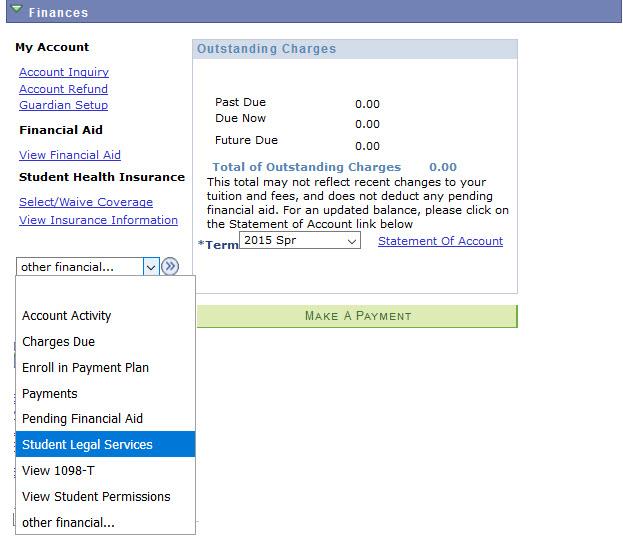
My BuckeyeLink Finances section displaying other financial... drop down menu. Drop down menu options include: Account Activity, Charges Due, Enroll in Payment Plan, Payments, Pending Financial Aid, Student Legal Services, View 1098-T and View Student Permissions
  1. Locate the other financial...drop-down menu in the Finances section.
  2. Select the   

    My Buckeye Link Jump Link button

     arrow to the right of the other financial... to view the drop-down menu.

  3. .  Select Student Legal Services.
  4. Thoroughly review the information regarding participation in the plan.
  5. If the option to select or waive exists, select your option.
  6. Select Submit.