Path.
- From the Aid Summary page, select Accept/Decline Aid button. The Aid Notification page will appear.
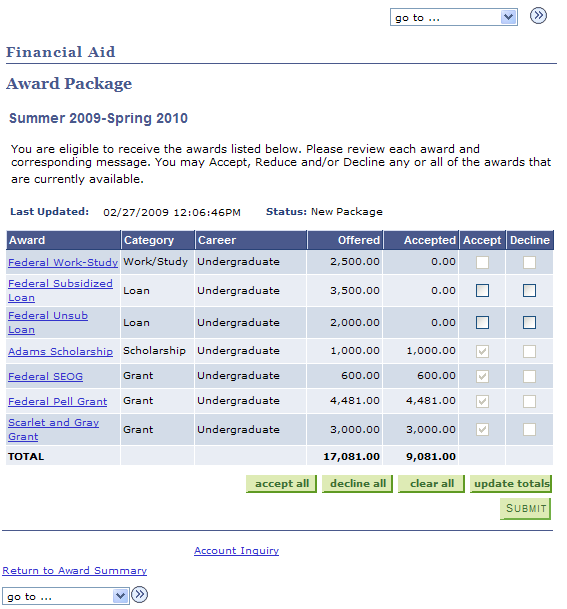
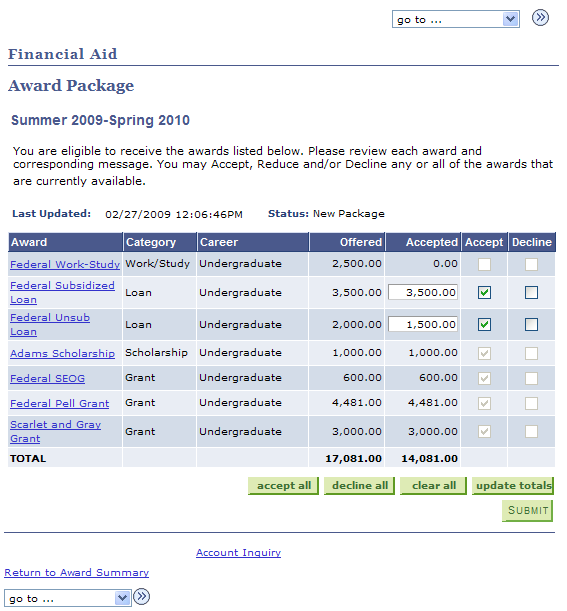
This page lists all the awards for which you are eligible during the selected aid year.
- Select the name of any award (as listed in the Award column) to view the Award Detail, which lists the amount awarded per term for that particular award.
- The Offered and Accepted columns display how much aid has been offered, and how much you have accepted (see Step 3, below).
- Make appropriate selections in the Accept and Decline columns to accept or decline individual awards.
- If you select Accept, you will have an opportunity to accept an amount less than the total award by editing the amount in the Accepted column.
Select
to accept all awards which require an acceptance action.
Select
to decline all awards which require an acceptance action.
Select

to clear your previous selections.
Select
to update the Totals listed in the last row of this page.
In the example below, the student has accepted the entire Federal Subsidized loan but only $1500 of the Federal Unsubsidized loan, and has updated totals.
Select
to save your award elections. A confirmation will appear.
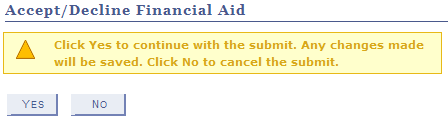
Select
. A final confirmation will appear.
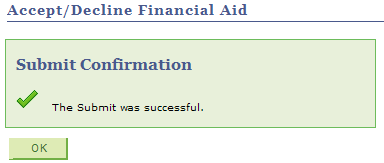
Select

to return to the Award Package page.
- Select Return to Award Summary at the bottom of the page to return to the Award Summary page.