Path.
- Navigate to the Faculty Center page.
By default, this page displays all classes scheduled in the current term.

Select

beside any class to view its roster.
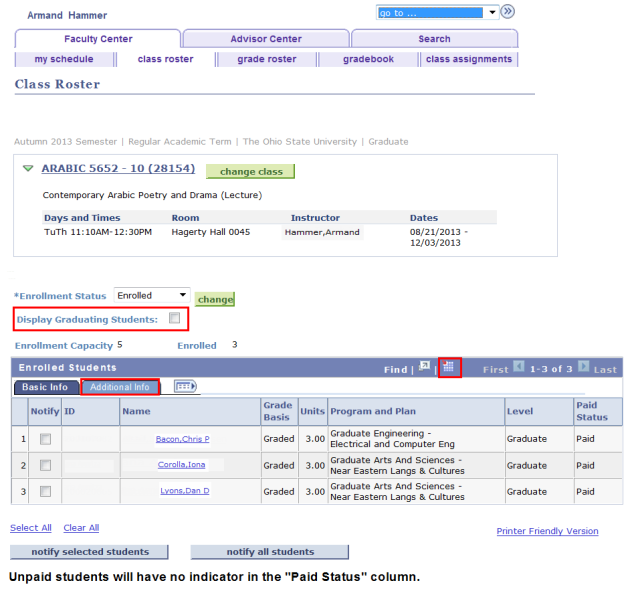
- By default, the Class Roster displays only students with a status of "Enrolled".
To view a different Enrollment Status, select an alternate status from the drop-down menu and select

- Waiting - waitlisted students
- All - enrolled, dropped, and waitlisted students
- Dropped - dropped students
- If you wish to view only students who have applied to graduate this term, check Display Graduating Students.
- Select Printer Friendly Version to view a printer-friendly version of this page.
- Print the resulting page using your web browser's standard print function.

- Select notify selected students or notify all students to send notifications to students.