This job aid is for Canvas for Continuing Education subaccount administrators who need to restore a deleted course.
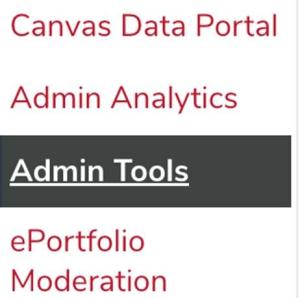
To restore a deleted course, click the Admin button in Canvas, then select Admin Tools.
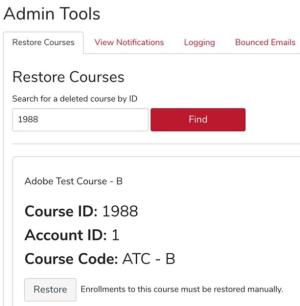
Under Restore Courses, enter the deleted course ID that you wish to restore, and then click the Find button. Once the course has been located, click the Restore button when ready to restore the course.
A confirmation message will appear if the course has been successfully restored, and you will have the options to click either the View Course or Add Enrollments button.