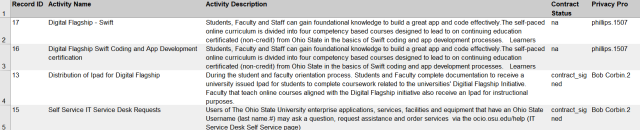
The PIA records you see listed or filtered can be exported as an Excel document.
From the Listing Privacy Impact Assessments page
- Click the down arrow on the Export All as drop down menu.
Select the type of file you want to export from the menu.
The options are:
- Microsoft Excel
- Comma Separated


On the Exporting Records dialog box, select the OK button

.

On the Opening dialog box, click the OK button
.
Your PIA inventory listing will appear in Excel in the format you selected.
Privacy Impact Assessment Help
Select the PIA Help Icon

located at the top of the Editing PIA page to learn more about the PIA and how to prepare for and create an OSU PIA Inventory Record.
Help text is available throughout the PIA Inventory tool, select the question mark icons

For questions and assistance with the PIA tool email security-integrations@osu.edu or contact the IT Service Desk.