Login to Workday using your OSU name.# account.
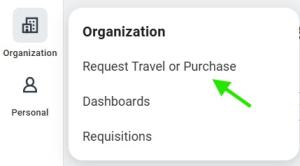
Select the Request Travel or Purchase Application in the Apps menu.
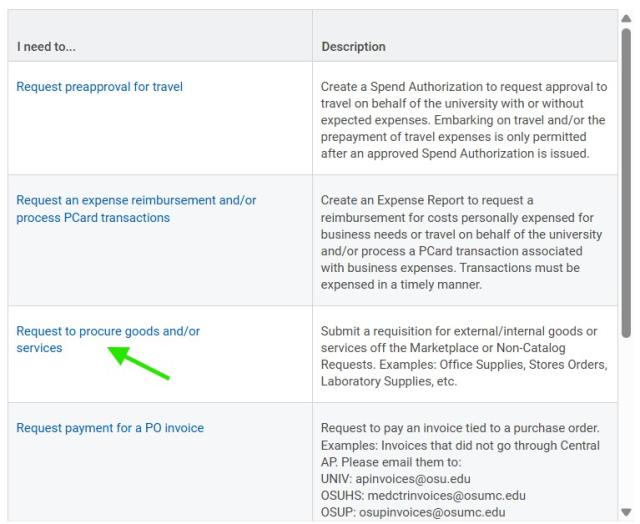
Select the Request to procure goods and/or Services option.
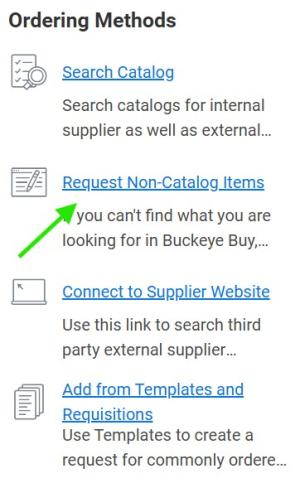
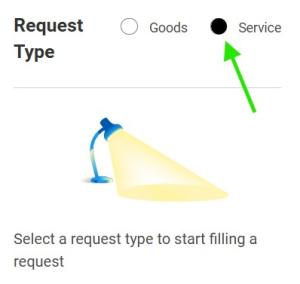
In the ‘Ordering Methods’ box, choose the Request Non-Catalog Items link followed by the Service radio button.
In the next section:
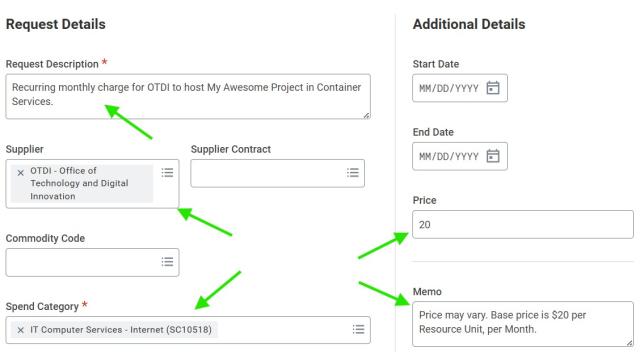
- Enter a description for your purchase. Something like, “Recurring monthly charge for OTDI to host My Awesome Project in Container Services”, changing the underlined portion as necessary.
- Set the Supplier to “OTDI – Office of Technology and Digital Innovation”.
- Set the Spend Category of, “IT Computer Services - Internet” (SC10518)”.
- Set a monthly base price. (Currently, $20 per Resource Unit/Month).
- Set the Memo to reflect "Price may vary. Base price is $20 per Resource Unit, per Month" as the costs of Container Services can vary month to month, based on your usage.
Click the Add to Cart button.

.
To access your cart, select the cart icon

in the upper right-hand corner of your screen.
When you’re shopping is complete, review your cart for completeness and click the Checkout button

. This will throw an error, but it’s just a reminder to add a 'Business Purpose' for future auditors.
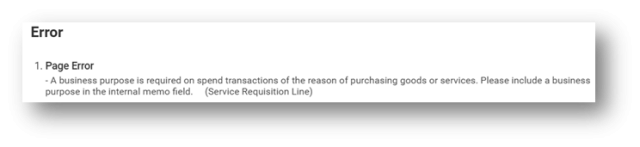
Complete the Internal Memo field, entering a well-defined, plain English business purpose for the Requisition. Something like, "This is for an on-premises Kubernetes Container which will host a database server that complies with University Data Policies for S4 Data", changing the underlined portion as necessary.
"Every expenditure must be supported by a documented ‘Business Purpose’. A business purpose should be written so an individual unfamiliar with the organization’s operation (aka: An Auditor) can understand why the transaction occurred and how it benefits the University."
Once the ‘Business Purpose’ has been defined click the Submit button

.
For more details on completing a requisition in Workday please see Create a Requisition to Procure Goods and Services.