Microsoft Azure is a cloud platform that provides a set of services that allow you to build, manage and deploy applications on a massive, global network using your favorite tools and frameworks. Applications may include any program or piece of software designed and written to fulfill a particular purpose for the user.
OTDI offers a university-configured Microsoft Azure service to faculty and staff for approved university business. Ohio State adds the following features to the standard offering:
- Integrated billing: your charges will be paid from your Ohio State account;
- Access to special training events;
- Access to Microsoft support specialists.
We have implemented security and account management practices, defined billing processes, organized training opportunities and resources for users. We are working to transfer existing faculty and staff Azure accounts to the university enrollment.
.
I need to...

Request an Account
Our readiness checklist provides guidance on how to set a budget and get it approved in Workday and then how to request an account through the IT Service Catalog.

Learn About Pricing and Billing
The Microsoft Azure service catalog listing provides information on pricing, billing and the service level agreement (SLA).
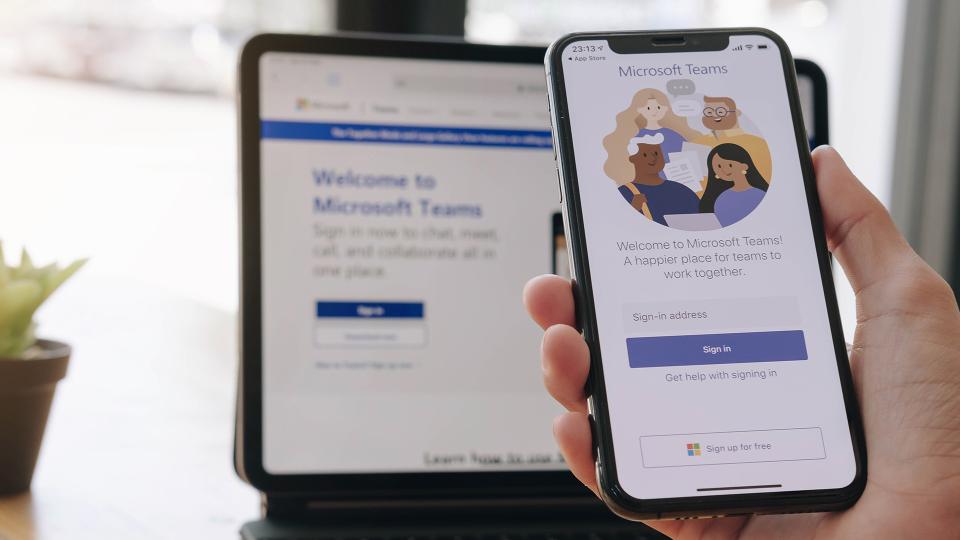
Join the Ohio State Azure Users Team
Join the Azure Users Team to receive useful information about the Azure service.
Instructional Guides
Training
Azure Training and Education Options
- Azure Enterprise Skills Initiative Portal – Learn more at How to Access the Azure Enterprise Skills Initiative Portal.
- OSU Gateway to Learning: Azure Fundamentals Track or Azure related training aligned to Azure certification (*) – Learn more at LinkedIn Learning License Request.
- Microsoft Learn for Azure – Learning paths and modules created by the experts at Microsoft
- Microsoft Azure Resources – Review white papers, templates, videos and more to help you get started.
- Azure Community of Practice – Interact, share, and learn Azure with other Microsoft customers.
- The Successful Six – Six things you should do before using Ohio State Azure services.
- Get started with Azure – Take the first steps to learning about Azure.
- Azure Documentation – Learn how to build and manage powerful applications using Microsoft Azure cloud services.
- Microsoft Azure YouTube Series – Subscribe to the Azure channel for news, demos, training and more.
- Microsoft Azure for Higher Education – Achieve better learning outcomes through technology.
- Microsoft Certifications – Refer to How to Access the Azure Enterprise Skills Initiative Portal
- Microsoft Azure Events (**) – Also refer to How to Access the Azure Enterprise Skills Initiative Portal
- Third-party vendor training (e.g. A Cloud Guru, Linux Academy, Udemy) (***)
(*) Certification is optional. Review the free certification opportunities for Ohio State at How to Access the Azure Enterprise Skills Initiative Portal.
(**) Azure/Microsoft events, like the Microsoft Ignite conference incorporate training into the agenda and cost of the conference. Costs associated with Microsoft training options are at the expense of the employee’s college or department.
(***) The third-party vendor options are based on feedback from members of the Ohio State community. The examples listed are not an endorsement by OTDI or Ohio State of the vendors or their training. Costs associated with subscribing to third party vendor services would be at the employee’s expense. Ohio State does not have agreements with the vendors listed; please do not use your Ohio State email address when signing up with these vendors.
Microsoft Azure for Research
- Please review the Microsoft presentation Azure for Research Ohio State University that was presented to the university on 10/13/2022.
- Azure Enterprise Skills Initiative Portal – Learn more at How to Access the Azure Enterprise Skills Initiative Portal.
- Microsoft Azure for Research – Microsoft research opportunities.
- Microsoft Azure High-Performance Computing – Microsoft Azure high-performance computing (HPC).
- Introduction Training Resources:
- Azure for Researchers Part 1 – Introduction to Cloud Computing – Learn the general terminology and services available to run research tasks.
- Azure for Researchers Part 2 – Cloud Security and Cost Management – Predict cloud costs and learn how to secure vital machines against unauthorized access.
GitHub Resources
- Azure/AzureHPC – Automated scripts for building an HPC environment in Azure, including examples to build an e2e environment.
- Azure/CycleCloud-Slurm – Enables users to create, configure and use SlurmHPC clusters on Azure.
- Microsoft/Genomics-Quickstart – Covers the basics of Genomics on Azure including Pipelines, Data Migration, Cromwell and NextFlow.
- Microsoft/Presidio – Data-science related tasks used, evaluating specific PII recognizers or PII detection models
- Microsoft/HoloLens2ForCV – Sample code and documentation for using the Microsoft HoloLens 2 for computer vision research.
- Microsoft/EconML – ALICE is a Microsoft Research project aimed at applying artificial intelligence concepts to economic decision making.
- Azure/DataScienceVM – Tools, tips, and extensions for the Microsoft Azure Data Science VM to accelerate development and implementation.
- Microsoft/acceleratoRs – Data science and AI solution accelerator suite with templates for prototyping, reporting, and presenting data science analytics.
- Connect GitHub Metered Billing to an Azure Subscription – Covers how usage-based services can be billed directly to Azure.
Security
Don't forget to build your services with security in mind from the beginning. There are numerous Azure services, but not all are approved by Ohio State Risk Management (log in required).
You are responsible for security standards when building services in Azure.
Microsoft Security Resources
Azure OpenAI
Microsoft Foundry is a unified Azure platform-as-a-service offering for enterprise AI operations, model builders, and application development.
Frequently Asked Questions
Who can use Microsoft Azure?
Once available, Microsoft Azure can be used by Ohio State employees for university purposes. The Ohio State University Wexner Medical Center has not approved use of Azure by medical center staff. For more details about Azure, contact the medical center’s Help Desk at 614-293-3861.
I am a student. Can I use Ohio State’s Azure instance?
Currently, Microsoft Azure can be used only by Ohio State employees for university purposes. The Ohio State University Wexner Medical Center has not approved use of Azure by medical center staff. For more details about Azure, contact the medical center’s Help Desk at 614-293-3861.
What can I do to prepare for Azure before I get my subscription?
- First, get ready for Azure by becoming familiar with the Ohio State Azure Successful Six.
- Next, look at Ohio State policies about using technology services and understand appropriate use. The information below are examples of how those policies apply to using Azure. If you need more information, visit the Issuing Office.
- University Institutional Data Policy (IDP). Self-enroll and complete the IDP training if you have not done so already. Microsoft Azure is currently being reviewed by our security team. At this time, no Personal Health Information (PHI) may be stored in Microsoft Azure.
- Responsible Use of University Computing and Network Resources
- Explore Azure learning paths. Do you plan to use Azure to develop blockchain apps? Are you more interested in creating containers? Or maybe you just want to learn the fundamentals. Learn practical skills through Microsoft's many Azure learning paths. In addition to Microsoft’s training, the internet offers a wealth of information about how people are using Azure.
- Take your learning and professional development to the next level. Take advantage of the many training resources Microsoft has available, including their certification program. You can achieve certification in Azure Fundamentals or in specific role-based learning paths.
- Identify potential use cases. Not every workload is appropriate for the cloud, and different cloud tools are a better fit for specific projects. Identify potential use cases. Assess the business purpose for each case, understand the data that will be used, and work with your IT staff to determine if your use case is appropriate for Azure. Several analysts offer lists of key questions to ask and answer ahead of moving workloads to the cloud, for example:
How can I request an Ohio State Azure subscription?
Please refer to the Ohio State Azure Readiness Checklist for instructions.
How can I predict costs? Are there Cost Tools or a Cost Calculator?
Each user is responsible for managing their costs for using the Ohio State Azure Service. You are responsible for the payment of all billable Azure Services consumed. Assume every Azure service that you have enabled is charging you even when you are not using it. To guard against runaway bills, be sure to turn off Azure services when they are not in use. You can set some services, like virtual machines (VMs), to automatically turn off/shut down during off-hours. Be sure to take advantage of all the cost management tools that are available to anticipate and control costs. Here are a few:
- Azure Pricing Calculator - Use this tool to estimate your up-front cloud costs.
- Azure Migrate - Assess your current datacenter workload for insights about what's needed from an Azure replacement solution.
- Azure Advisor - Identify unused VMs and receive recommendations about Azure reserved instance purchases.
- Azure Hybrid Benefit - Use your current on-premises Windows Server or SQL Server licenses for VMs in Azure to save.
- Analyze Costs - Start using Azure Cost Management.
- Azure Cost Management Best Practices - Learn how to optimize your cloud investment with Azure Cost Management.
Can PHI be stored and shared on Microsoft Azure?
Microsoft Azure is currently being reviewed by our security team. At this time, no Personal Health Information (PHI) may be stored in Microsoft Azure.
How do I get assistance with questions about Azure?
Email Azure Service Owner Brant Thomas with feedback or questions. Emails will be addressed in a timely manner.
Questions or Feedback?
To ask a question or share feedback about the Ohio State Azure service, please email azure@osu.edu.