Holds are visible on My Buckeye Link page and can be placed for a variety of reasons including:
- Unpaid fees
- Other charges
- Your advisor needs to speak with you
- Financial Responsibility Statement not submitted
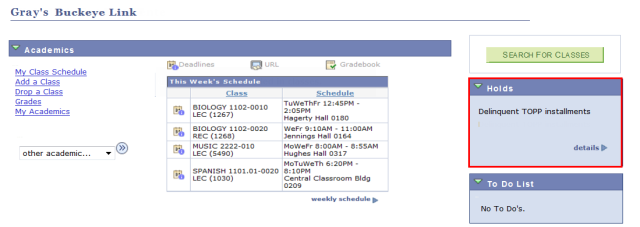
From the Holds box in My Buckeye Link, select

to view more information. A list of your current Holds will appear.
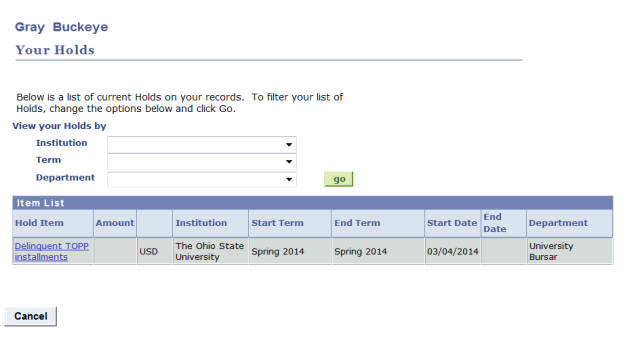
- Select any Hold Item link for more details on that specific Hold.
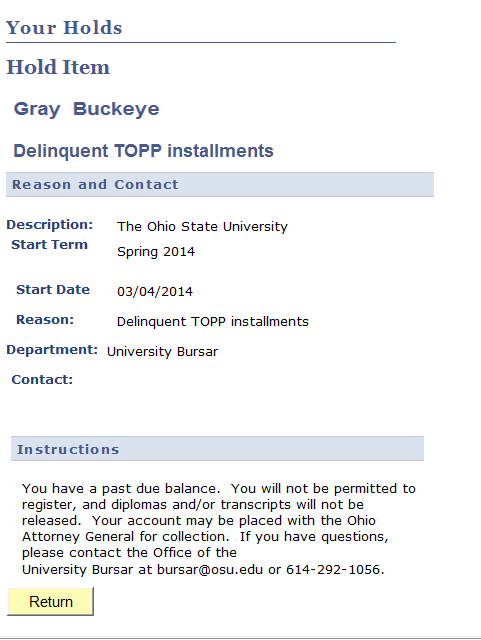
Each Hold will contain information about why that Hold was placed, as well as contact information so you can resolve it. If the Hold involves fees, it will also detail the dollar amount.
Important Information
Ohio State personnel may refer to Holds as "Negative Service Indicators"--this is just another term for Holds.