
How to log into Microsoft Project Essentials Online

Log in to the university's Microsoft 365 web portal using your Ohio State Username and password.

Click on the Project icon in the list of Microsoft 365 apps.
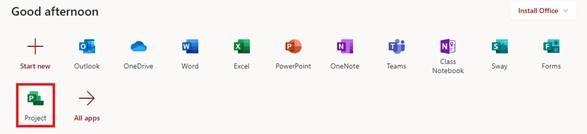
App launcher in Microsoft 365 highlighting MS Project

The Microsoft Project app will open. At the bottom of the page you should see a link “Go to Project Online ->”. Click this link.
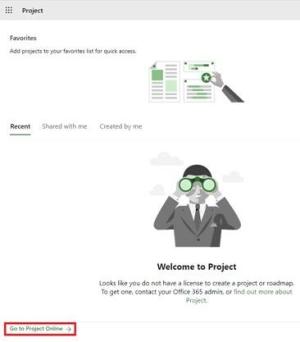
MS Project welcome page

The Project Essentials Online “Project Web App” will open.
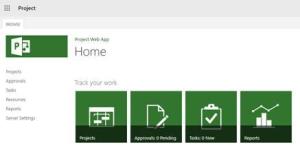
MS Project Homepage

Clicking Projects will show you a timeline of current projects and include a link to create a new project.
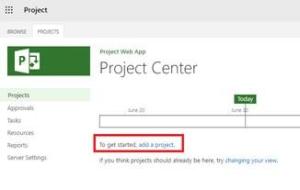
Project Timelines overview

Click on the timeline of an existing project to edit the project.
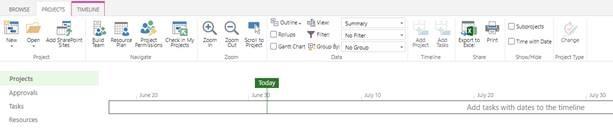
MS Project Timeline details

Or click on Tasks to add Tasks to the timeline.
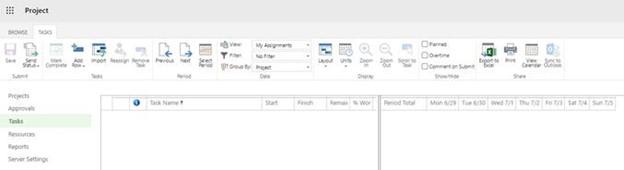
MS Project Tasks view

M365 Accessibility Info Alert

If you have a disability and have trouble with any Microsoft 365 product, please reference the Microsoft Accessibility Disability Answer Desk where you can contact Windows and Office accessibility support through various methods. If you require additional support, please call the Ohio State Accessibility Helpline at 614-292-5000.