Schedule appointments and meetings through Calendar on Outlook.
Even though your calendar is part of Outlook, the Calendar itself is full of features meant to enhance and elevate your work experience and boost productivity. The Calendar integrates with other Microsoft applications to enhance collaboration between individuals, teams and organizations within the university.

Instructional Guides
Security
Ohio State Institutional Data Policy
- Microsoft 365 is for academic and personal use only.
- Students may not place sensitive data in any Microsoft 365 online product.
- Ohio State employees must be aware of what type of data that is being placed into Microsoft 365 products.
- Learn more about Institutional Data
Ohio State Computing Policy
Access to Ohio State computing and internet resources must be used in a responsible manner. To learn more, see the Responsible Use of University Computing and Network Resources.
Frequently Asked Questions
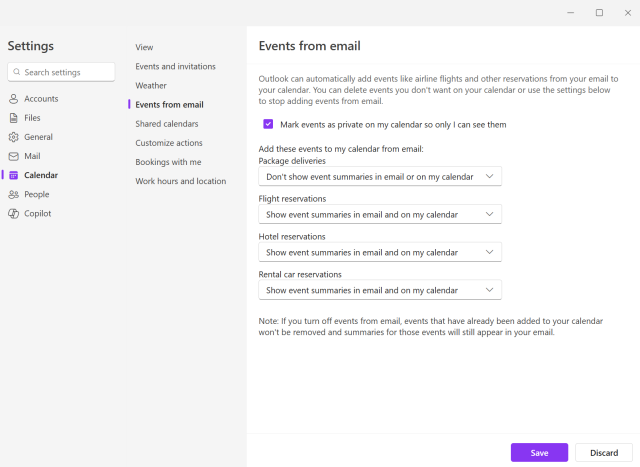
Why is event creation from an email is not functioning?
Outlook’s Events from email feature helps users stay organized by automatically adding reservations such as flights, hotels, rental cars, and deliveries to their calendars. To improve reliability and ensure this feature continues to work smoothly, Microsoft has strongly encouraged all providers to adopt Schema.org markup in their transactional emails. This change aligns with industry standards and improves accuracy, consistency, and long-term support.
Until now, Outlook has relied on legacy extraction to support this feature. However:
- Legacy extraction is fragile, and once templates fail, they cannot be fixed.
- We are receiving increasing reports of incorrect or missing events.
- It is technically impossible to make further improvements to the old stack.
- By January 2026, the old extraction stack will no longer be supported.
How does this effect you?
You may receive emails from people or organizations from outside of the university that are still on systems using legacy extraction. Events will not be able to be added to the calendar from a sent email if they are on the legacy system. Unfortunately, there is nothing that the university can do to fix this because it is the senders legacy system. You can reach out to the sender and let them know about the update to Schema.org that Microsoft has moved to.
If you are a delegate for someone, are you able to see their calendar from your Teams window?
No, currently the Teams Calender is for your events only. Management for calendar delegates should continue to be performed in Outlook.
Help
If you have any trouble accessing or using Microsoft Calendar, please contact the IT Service Desk.

