Sharing is not available on all Collections, if the ‘Share’ icon is greyed out then the Collection has not had sharing enabled. Collections containing protected data requiring a High Assurance (HA) collection will not have this feature enabled by default.
Files are shared by sharing the folder that contains them, you cannot share individual files. To Share files with collaborators there are two options either share to individuals or configure sharing via groups that you can create and manage.
Log into the web portal app.globus.org select "Ohio State University".
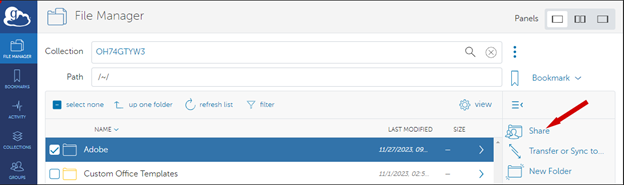
In the File Manager page open the required collection and navigate to the folder you wish to share.
Single left click on the folder to select it then click ‘Share’—Top icon on the right-hand menu.
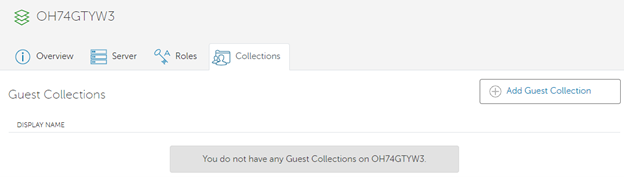
Click ‘Add Guest Collection’.
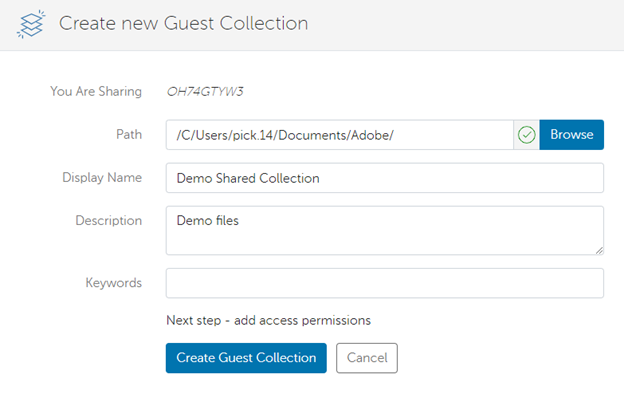
Creating the Collection
Path will be auto completed.
Display Name is the name the people will see when searching for the collection, name it appropriately.
Description and Keywords are optional, keywords can be used to help your collaborators find the collection.
Click ‘Create Guest Collection’ when ready.
The Collection is created but still needs permissions assigned.
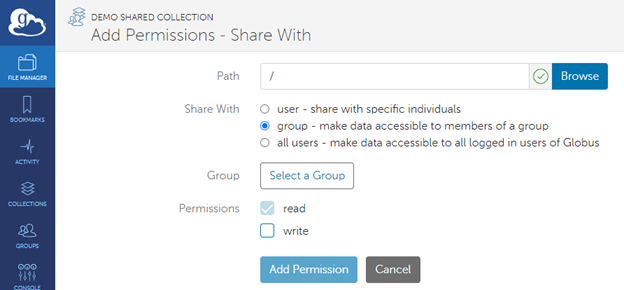
Click on ‘Permissions’ then ‘Add Permissions – Share With’
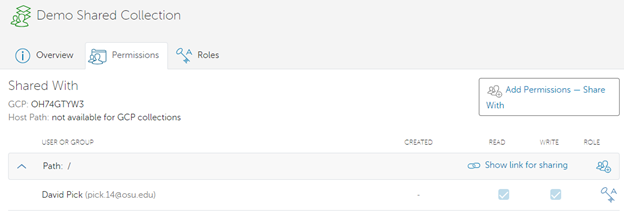
The Path is relative to the Guest Collection you created not the Mapped Collection that hosts it.
Assigning to individual Users:
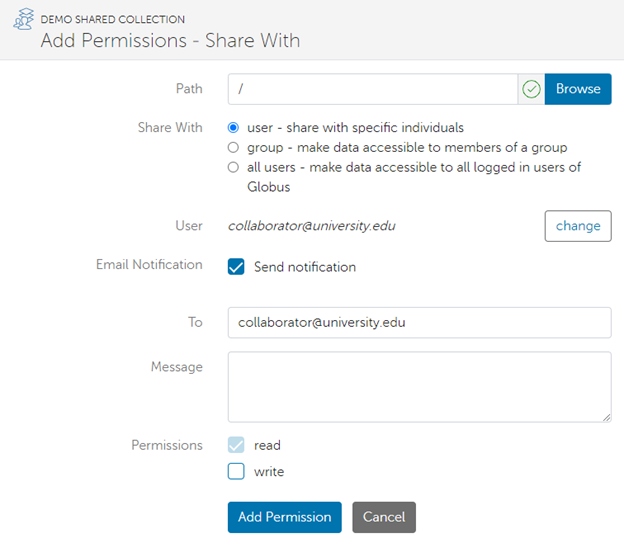
Select ‘user’ and add individual accounts by specifying their email address.
Permissions default to read unless you specify write.
Repeat for all accounts to be granted access.
The recipients will receive a link their email that they can click to open the collection.
Assigning to Groups
Click ‘group’ then ‘Select a Group’ select a group you have previously created, click ‘Add Permission’ when ready.