This job aid describes how to change formatting for a single Tableau dashboard.
- Open a Tableau dashboard
- Click Format
- Click Dashboard
- In the left panel, select font type, color, and size.
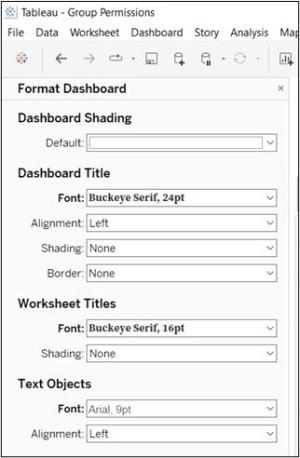
- Click X (to the right of Format Dashboard) to exit formatting the pane.
Important Information
These instructions outline how to change formatting for one dashboard. To set formatting for all dashboards and sheets, select ‘Workbook’ under Format instead of ‘Dashboard’.
- View the Tableau Desktop Tips video for demonstrations on dashboard formatting