Overview
There are several different ways to search for a course. Keep in mind that an asterisk is a wildcard and can be used at any place within your search terms to stand in for missing information. Searching on just an asterisk will return all courses in CIM.
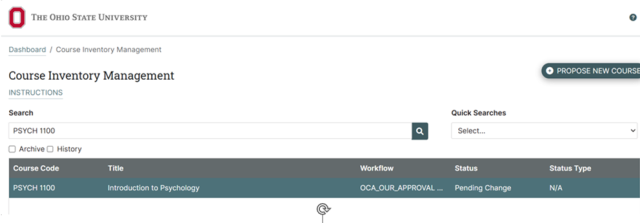
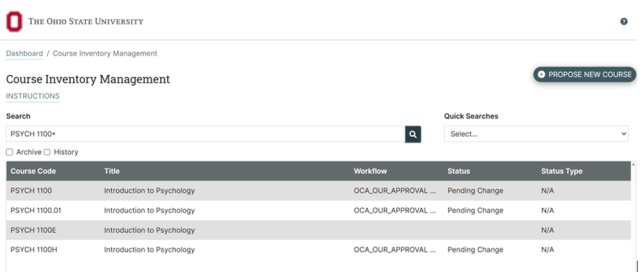
- Course Code or Program Code
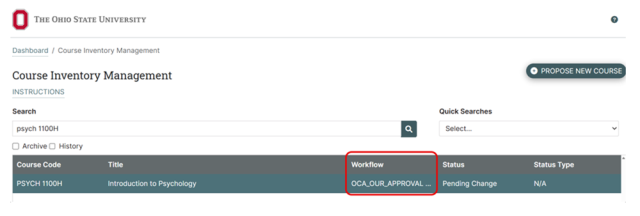
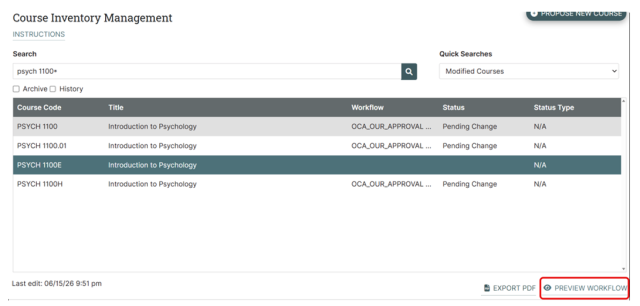
PSYCH 1100 will only return PSYCH 1100, but PSYCH 1100* will return PSYCH 1100, PSYCH 1100E, and PSYCH 1100H
- Keyword
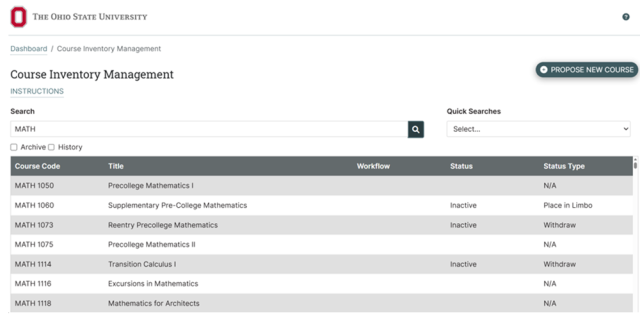
“MATH” will return any course with the word “MATH” in the subject, regardless of status
- Keyword plus asterisk
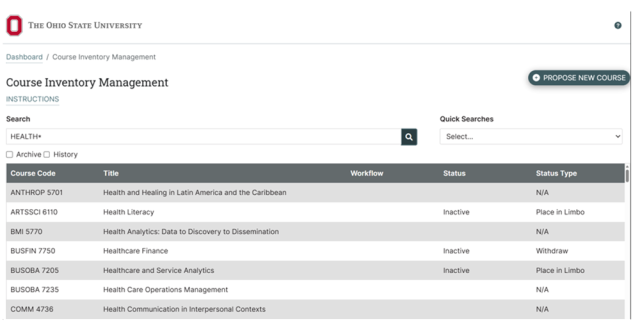
“health*” will return any course with the word “health” in the title, regardless of status
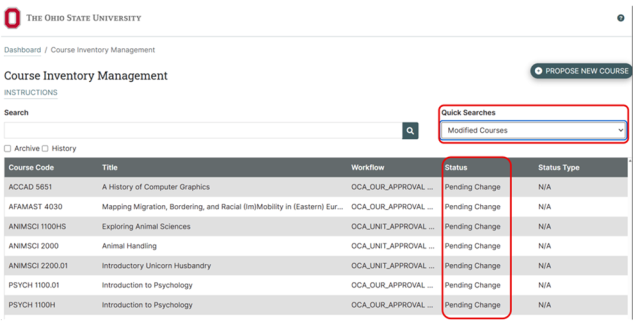
- Status (seen in the status column of the landing page)
Example: modified will return all courses being modified
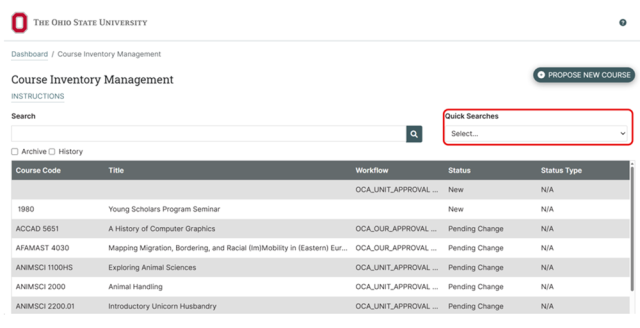
- Quick Search
Drop-down menu of search options located in the upper right corner of the landing page
How to Search
- Navigate to your CIM Courses landing page
- Search on:
- Course Code
- Keyword
- Workflow Step
Status
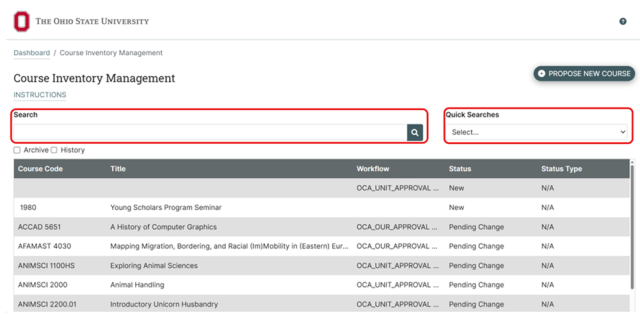
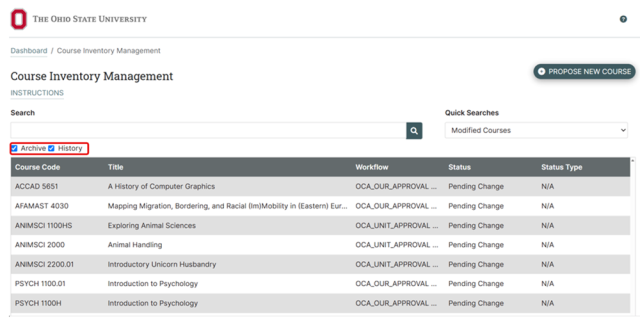
Optionally, choose to search the archive and/or history by clicking their respective box(es). Archived course codes were codes used previously and are now able to be used again. History shows the proposal as it was previously approved with the date of approval in the Workflow column.
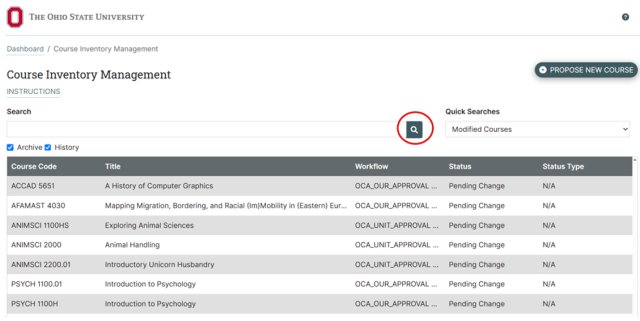
Press Enter on your keyboard or click the Search icon
How to View, Export to PDF, and Print the Proposal
The proposal can be viewed by clicking the respective line item from the results in the search box.
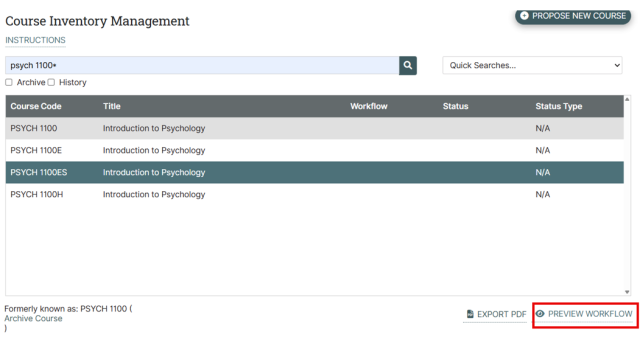
- Choose the Print option in your browser to launch the option to send the proposal to your printer. The print function can also be initiated by typing CTRL+P on Windows or Command+P on Macs.

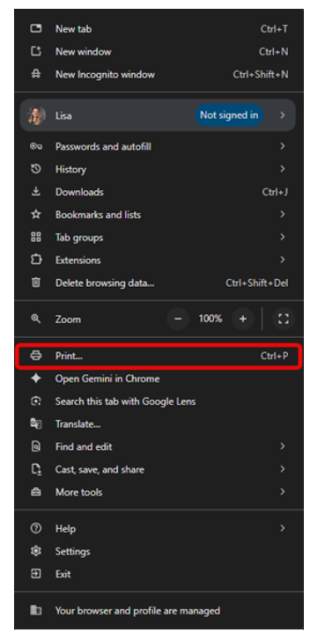
This will bring up a drop-down menu on the right side of your screen. Half way down the menu you will see Print…
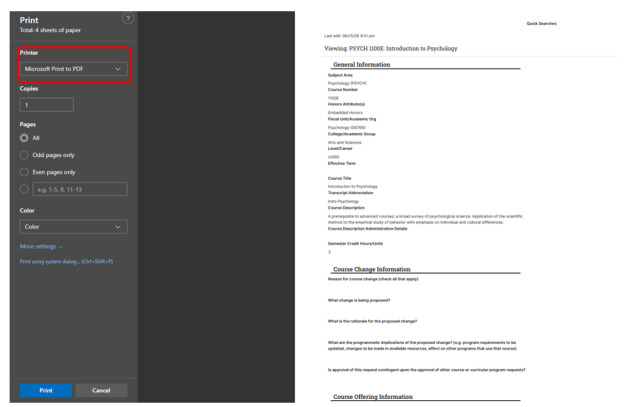
This will bring up a window. On the right side of the window you will be able to choose the printer you wish to print to from the Destination drop down menu.
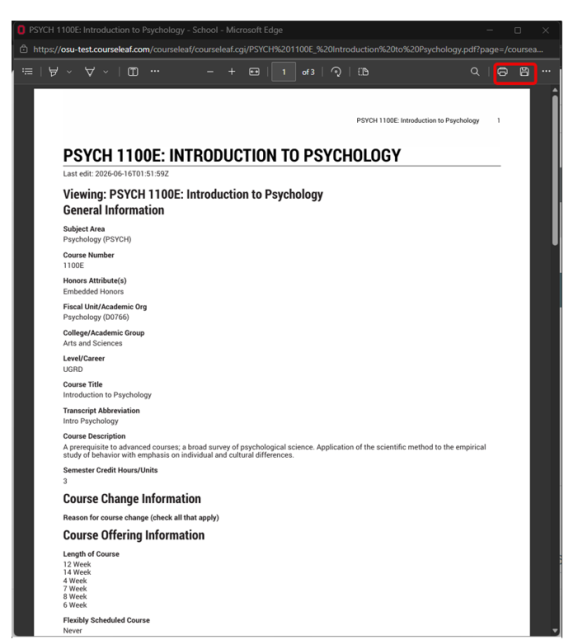
To convert your proposal to a PDF you can click the Export PDF link on the right side of the page.
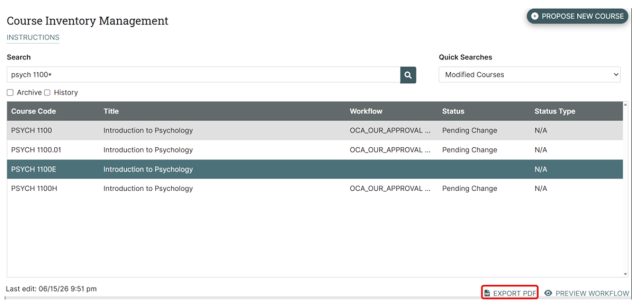
This will bring up a separate window where you can download or print to PDF.