Viewing a user's information that is imported from Workday can be a useful tool for troubleshooting groups, learning assignments, and reports.
Open the Users page.
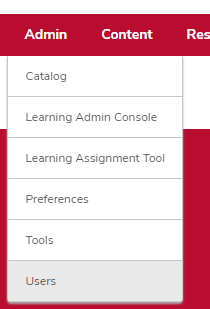
- Hover over the Admin tab.
- Click Users.
Search for the learner.

- Type your search criteria.
Click the Search button

.
Click the learner's name in the User column.

View the learner's user record.
