It is important to carefully select email settings for learning assignments. Not all administrators have permissions to change email settings. Email settings cannot be changed after the learning assignment is submitted.
Training Specific Emails

Select training specific emails to send the default BuckeyeLearn emails. This option is selected by default. If the learning assignment has a due date, the learner will receive automatic reminders as the due date approaches.
Assign Training emails are specific to online courses and curricula.
Register Training emails are specific to instructor-led training.
Except in rare cases, these should not be the only communications that learners receive about the training assignment, as they do not include all the required information for the learner, such as why they are being assigned the training or by whom.
Custom Emails

Select custom emails to develop a set of emails to learners using BuckeyeLearn’s defined messages in the system. Contact the BuckeyeLearn Support team for more information about using this option.
Ad-hoc Emails

Select ad-hoc emails to create one email to learners using BuckeyeLearn’s email tool. Contact the BuckeyeLearn Support team for more information about using this option.
No Emails
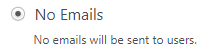
Select no emails when you will be sending all communications about the assignment outside of BuckeyeLearn. This will turn off all automatic BuckeyeLearn emails, including automatic reminder emails if the assignment has a due date.
Curricula with Auto-Registration

If you have assigned a curriculum, prevent any additional emails from being sent out when certain settings are selected in the curriculum. These emails are turned off by default.