The Session Defaults page allows you to make some selections that will default into sessions for this event. All information can be changed for individual sessions, if needed.
Review each numbered area to learn more about the page.
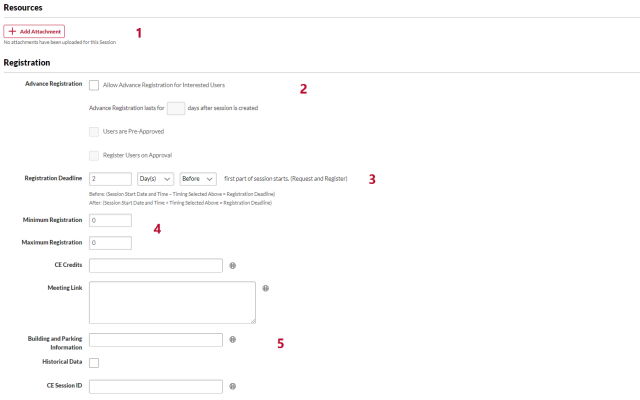
Resources: Add attachments for administrators, instructors, or learners for sessions. Contact your OU admin to review your area’s policies about this option.
Advanced Registration: Uncheck the Allow Advance Registration for Interested Users checkbox to ensure that your session is available for registration immediately. If you want to allow advanced registration, leave the box checked. This option is checked by default. Contact your OU admin to review your area’s policies about this option.
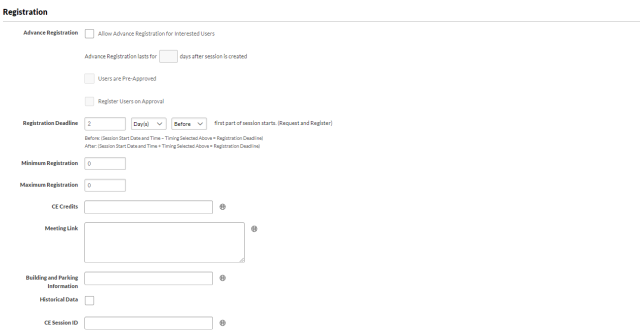
- Registration Deadline: The time before or after the session start date when a learner can no longer request a session. Contact your OU admin to review your area’s policies about this option.
- Minimum and Maximum Registration: The minimum and maximum numbers of learners who can request a session. These fields are required. Contact your OU admin to review your area’s policies about these fields.
- Other Fields: These fields are the same as on the Properties page. Contact your OU admin to review your area’s policies about these options.
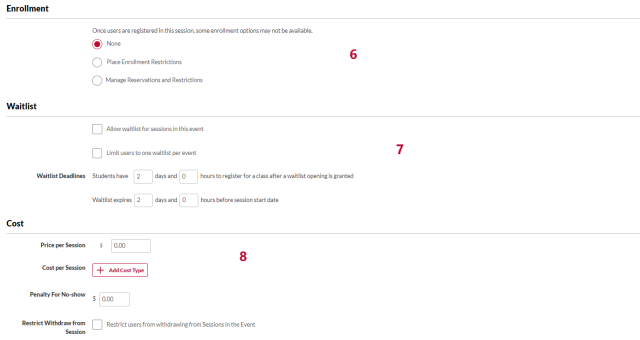
Enrollment: This functionality allows administrators to limit the number of learners by organizational units that can enroll for the event's sessions. If enrollment restrictions are placed on OUs, the number of seats available to a user differs depending on the maximum registration defined for the OU, and the number of users currently registered from their OU. Contact your OU admin to review your area’s policies about enrollment options.

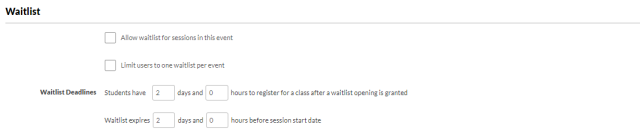
Waitlist: Set waitlist options. Contact your OU admin to review your area’s policies about waitlists.
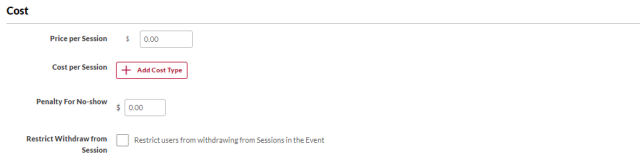
Cost: Set cost options. This functionality is not used by most areas at Ohio State. Contact your OU admin to review your area’s policies about this option.
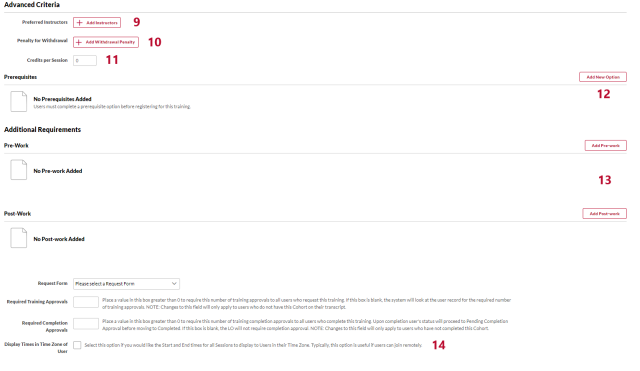
Preferred Instructors: Click the Add Instructors link to select instructors from your vendor’s list.

- Penalty for Withdrawal: Set the withdrawal penalty options. This functionality is not used by most areas at Ohio State. Contact your OU admin to review your area’s policies about this option.
- Credits per Session: The number of credits for each session. Contact your OU admin to review your area’s policies about this option.
Prerequisites: Click the Add New Option link to select one or more learning objects as a prerequisite. Learners will not be able to request a session until they have completed all required prerequisites. Contact your OU admin to review your area’s policies about prerequisites.

Pre-work/Post-work: Click the Add Pre-work and Add Post-work links to select one or more learning objects as pre- or post-work.
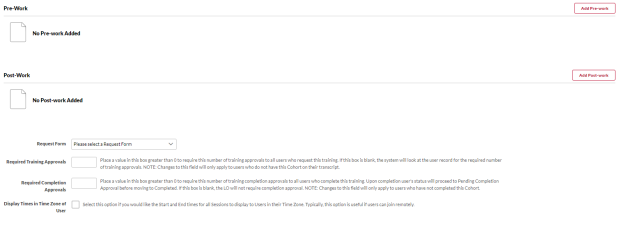
- Display Times in Time Zone of User: Check this option if the start and end times for sessions should display to learners in their time zone. This option is unchecked by default. Contact your OU admin to review your area’s policies about this option