You can create links to both events' and sessions' training details pages to include in communications to learners about training that is available for registration. Which one you choose depends on your specific needs and requirements.
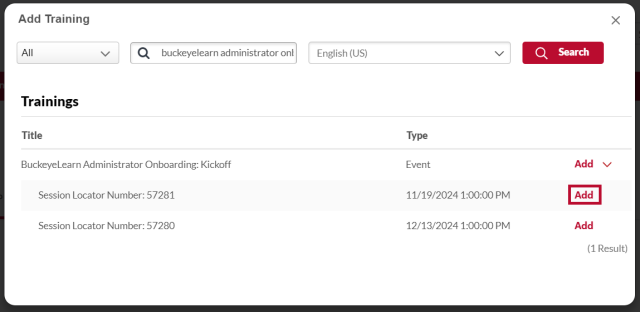
- Link to an event when you want learners to review and select from all of the available sessions.
- Link to a session when you want learners to register for a specific session.
You can include links to both in the same communication, for example, when you want to provide a link to the event for general information, but also the sessions for ease of registration for a specific date.
For additional information about deep links, visit Cornerstone’s online help.
- Navigate to the Deep Link page.
- Hover over the Admin tab.
Click Catalog.
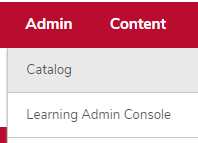
Click the Deep Links link in the General Learning Section.

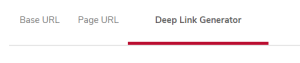
Click the Deep Link Generator Tab.
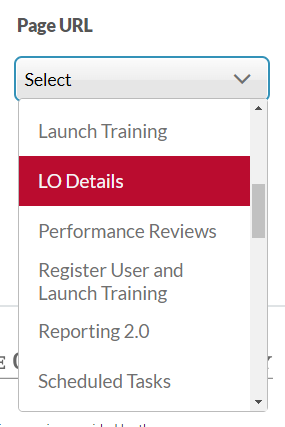
Select LO Details in the Page URL dropdown list.
Click the Add Training button

under Learning Object.
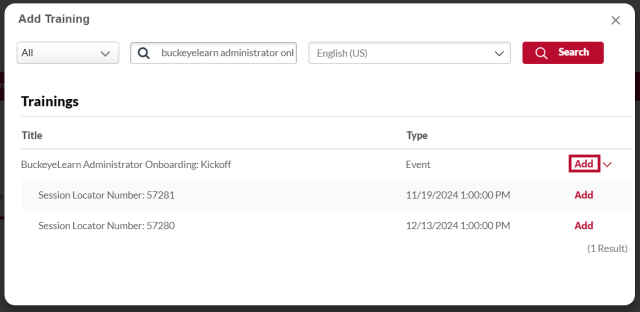
Search for and select training.
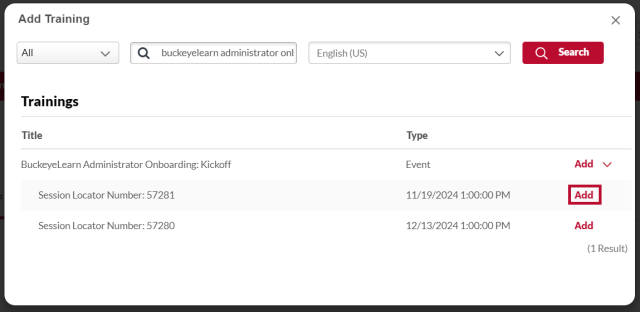
- Select a type of learning object, if desired.
- Type all or partial training title in the Title field.
Click the Search button

.
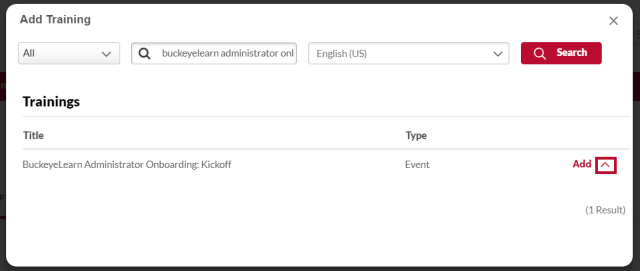
Click the Add button

next to the correct learning object.
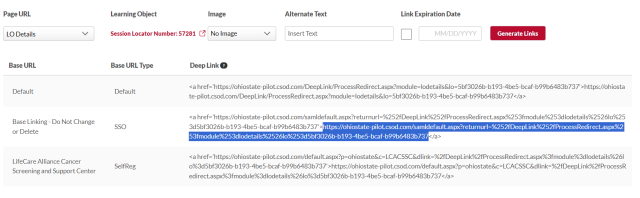
Click the Generate Links button

.
Select the link from the “Base Linking - Do Not Change or Delete” delete row.