Purpose
This instructional guide explains how invitations and transactional email communications for non recruitment events are managed when created in Blackthorn and delivered through Salesforce Marketing Cloud (SFMC).
Invitation Communications
An option for invitations to Blackthorn non-recruitment events is available through Salesforce Marketing Cloud, sending to a subscription audience. More information about this process is on the Office of Marketing’s website on the Salesforce Marketing Cloud | Subscription Audience page. The Office of Marketing and the Buckeye360 team will help determine the appropriate solution for your audience.
Transactional Communications
All transactional communications for non recruitment events created in Blackthorn are delivered through Salesforce Marketing Cloud (SFMC). These communications are standardized and are configured centrally; end users do not have direct access to modify or manage them. If custom content is required, the individual requesting customization must be designated as an Event Owner within SFMC. All communications for this process are aligned to the SAE Business Unit and utilize generic headers and footers by default. Individual Email Results, or IERs, will not be tracked for these communications.
Communications are:
- Standardized
- Configured centrally
- Not editable by end users
Footers are generic by default unless the sender is an event owner with an approved, custom footer (for example, the Salmon P. Chase Center for Civics, Culture, and Society have a custom footer already configured).
Access & Customization
End users cannot directly edit or manage transactional communications.
If custom content is required:
- The requester must be designated as an Event Owner in SFMC.
- Customizations are managed through the CRM Team.
Sender Profiles
Sender Profiles determine who the email appears to come from and where replies are routed. Each Event Owner must have a Sender Profile, established through a one-to-one setup with the SFMC team. As a best practice, Sender Profiles should use a group or shared inbox rather than an individual’s email address. Each new Sender Profile creates a distinct communication path within SFMC.
Sender Profiles control:
- Who the email appears to come from
- Where replies are routed
Requirements:
- Each Event Owner must have a Sender Profile
- Setup is conducted 1:1 with the SFMC team
Best practice:
- Use a group or shared inbox
- Avoid individual email addresses
Note: Each Sender Profile creates a distinct communication path in SFMC
Event Owner Journey Decision Split
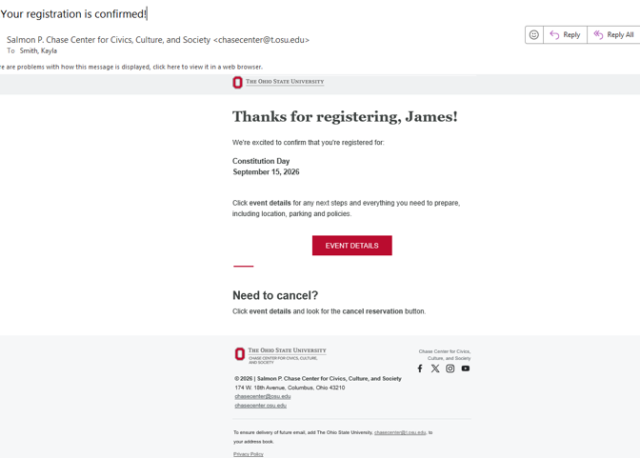
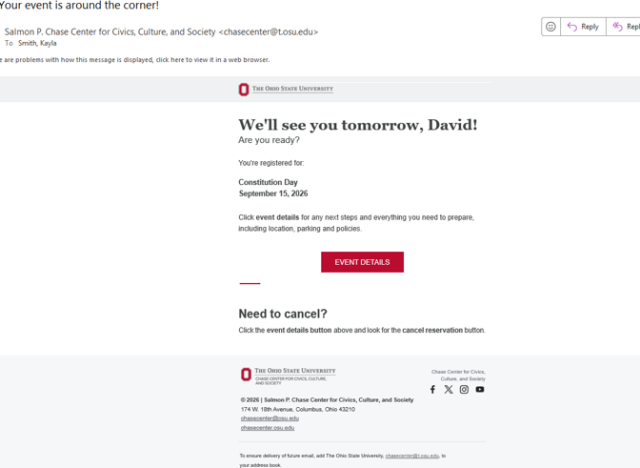
Each Event Owner has their own set of SFMC journey decision split paths that direct contacts to your supporting event communications. These journeys include Confirmation journeys (which send dynamic confirmation emails including the attendee link, cancellation details, and registration cancellation option), as well as an 8‑Day Reminder journey, a 1‑Day Reminder journey, and a Post‑Event Evaluation journey. These journeys are transactional in nature and are configured without an unsubscribe process. Each event owner has their own path in the larger journeys so their custom content can be displayed.
Journeys supporting event communications:
Journey Types
- Confirmation
- 8‑Day Reminder
- 1‑Day Reminder
- Post‑Event Evaluation
Reminder Journey Logic
Reminder journeys trigger based on the event end date and time.
Reminder Type | Trigger Condition |
|---|---|
| 8‑Day Reminder | Event end date = Today + 8 days |
| 1‑Day Reminder | Event end date = Today + 1 day |
Email Delivery & Responses
All transactional emails are sent to the attendee email associated with the event registration, which may differ from the Email value on the Salesforce contact record. Responses to these transactional emails are not automatically managed; therefore, using Case Management is recommended to track and respond to inbound inquiries effectively.
Data & Automations
From a data perspective, non‑recruitment events have a dedicated Data Extension (DE) folder, with each event communication topic assigned a subfolder. Automations run every two hours to refresh these Data Extensions and feed the associated journeys. Reminder journeys trigger based on the event end date and time—for example, the 8‑day reminder pulls attendees where the event end date equals today plus eight days, and the 1‑day reminder pulls attendees where the event end date equals today plus one day. A single automation is used to create and update the required Data Extensions and to keep all journeys in sync.
Data Extensions (DEs)
- Non‑recruitment events have a dedicated DE folder in SFMC managed by SEM currently
- Each Event Owner has content saved to non recruitment sub folders related to event communication title. I.e. Confirmations for all non recruitment are saved in the confirmations folder.
Automations
- A single automation for non-recruitment events runs every two hours
- Refresh Data Extensions
- Feed associated journeys
Appendix - Sample Communications
The following are some screen shots or examples referenced throughout the document.
Journey Set-up in SFMC
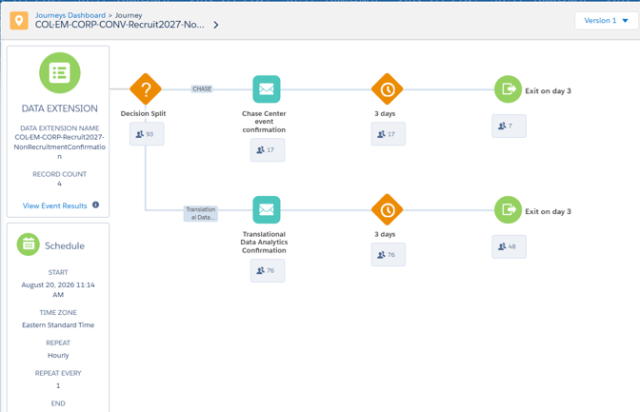
Registration Confirmation Communication
8 Day Registrant Reminder Communication
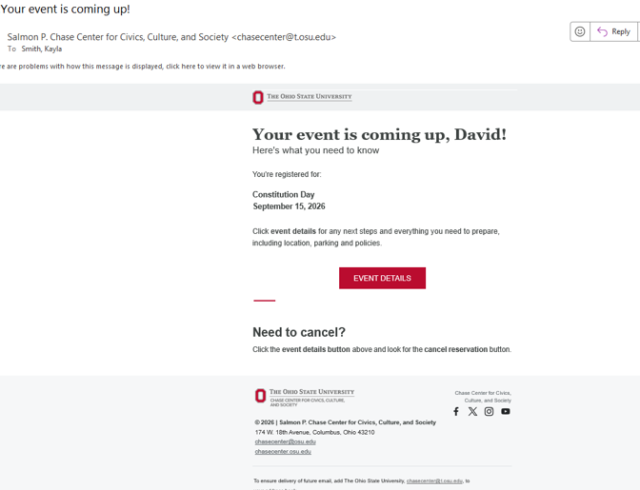
1 Day Registrant Reminder Communication
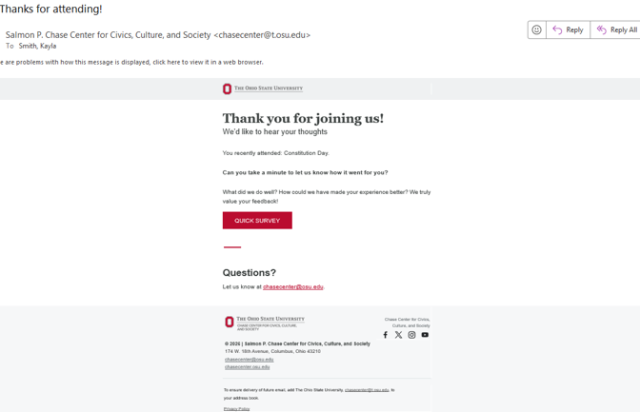
Post Event Evaluation to Attended Communication