Overview
This instructional guide has been created for the purpose of comparing course management actions between Curriculum.osu.edu (Kuali) and CourseLeaf Course Inventory Management (CIM Courses). It lists action descriptions like creating new courses, changing existing courses, withdrawing courses, one-time offerings, and limbo requests, detailing corresponding sections, buttons, and form names for each system, with color-coded buttons such as blue to propose a new course, red to inactivate a course, and green to edit a course.
| Action Description | Curriculum.osu.edu (Kuali) | CourseLeaf Curriculum Inventory Management (CIM Courses) |
|---|---|---|
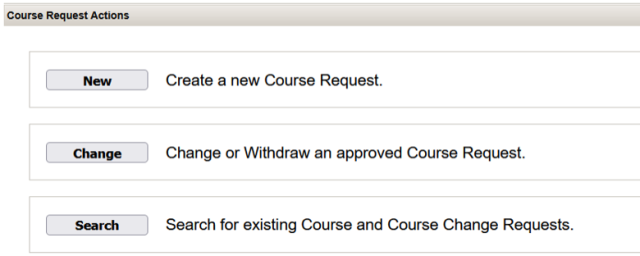
| NEW COURSE: Create a band new course that is not in the Course Catalog | Under "Course Request Actions" Section Button="New": Create a New Course Request Form Name = Course Request | Under "Course" Tab 
|
| EXISTING COURSE: Change an existing course that is active in the Course Catalog. | Under "Course Request Actions" Section Button="Change": Change or Withdraw an approved Course Request Form Name = Course Change Request | Under "Courses" Tab 
|
| WITHDRAW: Withdraw an existing active or limboed course | Under "Offering Request Actions" Button = "New": Create a New One Time Offering Request Form Name= Course Change Request | Under "Courses" Tab
|
| ONE-TIME OFFERING: Create a new one-time offering request. | Under "Offering Request Actions" Button = "New": Create a New OneTime Offering Request (Group Studies, Flexibly Scheduled, Off Campus, Study Tour and Workshop). Form Name = One Time Offering Request | Under "One-Time Offering" Tab 
|
| LIMBO: Request that a course be placed into limbo or removed from limbo. | No equivalent in Kuali-this action takes place only in Course Catalog | Under "Courses" Tab
|
curriculum.osu.edu request action buttons:
curriculum.osu.edu offering request action buttons:
