Instructions from the Office the University Registrar for running a Commencement International Character Report.
Path.
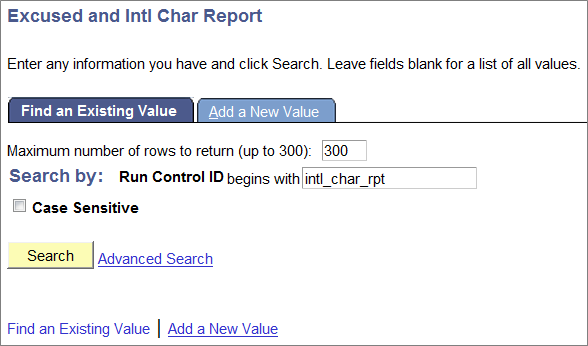
- Navigate to the Excused and Intl Char Report page.
- Select the Search button link.
Enter the appropriate Run Control ID, then select the Search button link.
- Complete the following fields on the Excused Intl Characters Report page:
- Term (required)
- Degree Checkout Status (required)
- In the Select Report to Run section, select the International Character Report option.
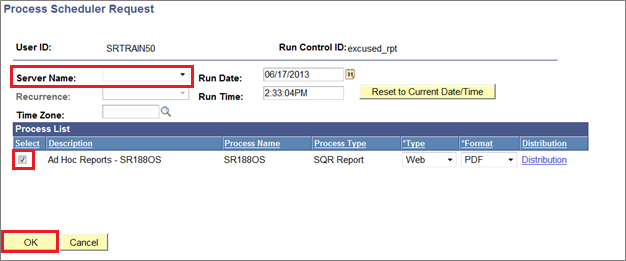
- Select the Run button link to view the Process Scheduler Request page.
- Confirm the Server Name is blank (defaults to correct server).
- Select Ad Hoc Reports - SR188OS checkbox from the Process List section.
- Select the OK button link to return to the process request.
- Select the Process Monitor link to view the Process Monitor page.
Select the Refresh button link to view the current process status. Continue to Refresh until the process is finished. The process is finished when Run Status is Success, and the Distribution Status is Posted (Queued and Processing indicate the process is still running).
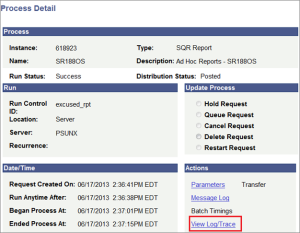
Once the process has finished, select the Details hyperlink from the Details column in the Process List section to open the Process Details.

Select the View Log/Trace link in the Actions section.
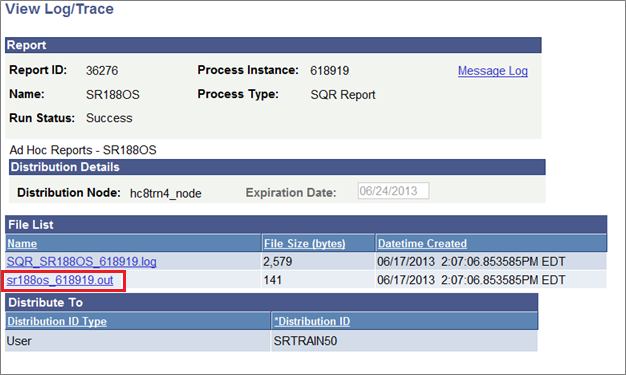
Select the .OUT file from the File List section to view the report.