Instructions from The Office of the University Registrar to assign honors and awards for individual students.
Path.
- Navigate to Honors and Awards page.
- Enter Search Criteria, then select the Search button link to open the student's record.
- Select desired term from Search Results.
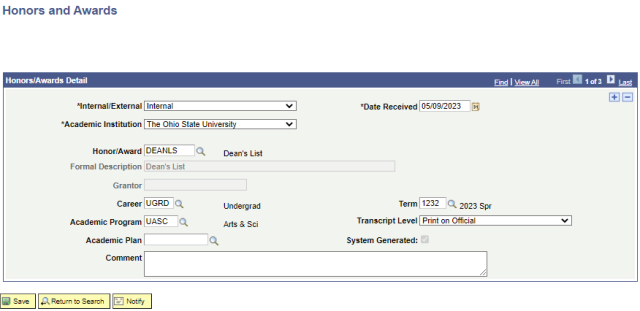
- Complete the following fields:
- Internal/External (required)
- Date Recvd (required)
- Academic Institution (required) =The Ohio State University
- Honor/Award
- Career
- Term
- Academic Program
- Transcript Level
- Academic Plan (Do not add the DEANLS or PTDNLS)
Comment
- Select the Save button link.