Instructions from the Office of the University Registrar for exporting a grade roster.
Export to Excel
Path.
- Navigate to the course Grade Roster.
- Complete the following Search criteria:
- Term
Class Nbr
- Select the Search button link to view the Grade Roster page.
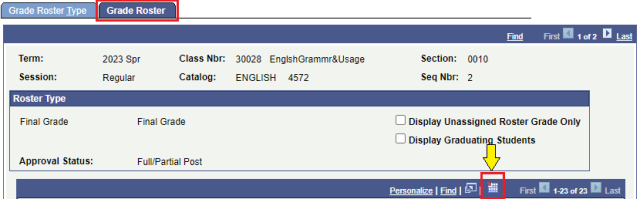
- Select the Grade Roster tab to view.
To export to an Excel spreadsheet, select the Export to Excel link (grid icon). The fill will download to your local computer.