Instructions from the Office of the University Registrar for assigning an enrollment appointment.
Path.
- Navigate to the Student Enrollment Appointment page.
- Enter Search Criteria then select Search.
- If not already selected, choose the appropriate term from the Search Results list.
Select a valid Session on the Student Enrollment Appointment page. The Enrollment Appointments section will display current enrollment appointments.
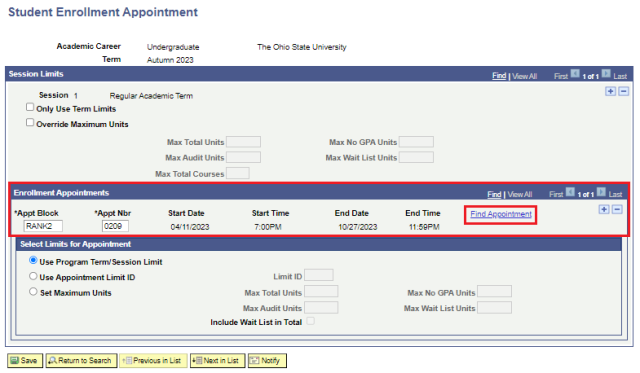
Assign an Enrollment Appointment
- Follow steps 1-4 above.
- Select the Find Appointment link.
- Select the Fetch Appointments link button.
- From the list of available appointments, select the Select Appointment link button for an enrollment appointment appropriate to the student's priority level.
Select the Use Program Term/Session Limit option in the Select limits for Appointment selection to enforce enrollment limits for the term or session.
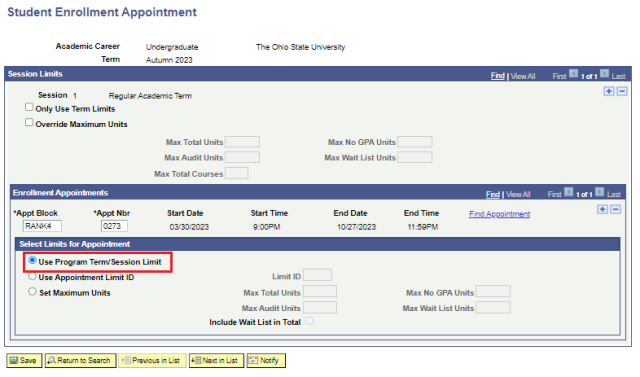
- Select the Save button.