Instructions from the Office of the University Registrar for entering student commencement data.
Info.
- Navigate to the Student Program/Plan page.
- Enter Search Criteria, then select the Search button link ot open the student's record.
- Select the appropriate student and CPP stack.
- Select the Student Degrees tab.
Select the Commencement link.
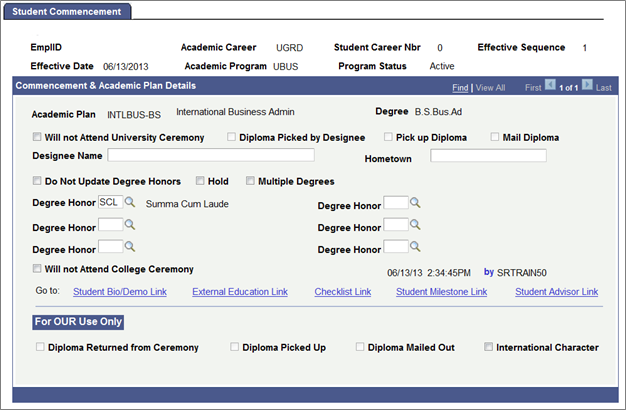
- Complete the following fields on the Student Commencement page (as appropriate for the student):
- Will not Attend Ceremony
- Diploma Picked by Designee
- Pick Up Diploma
- Mail Diploma
- Designee Name
- Hometown
- Do Not Update Degree Honors
- Hold
- Multiple Degrees
- Degree Honors
- Will Not Attend College Ceremony
- Select the Save button link to save.