To request an administrative account in the Ohio State Software Directory, follow the steps outlined below. Approved requests will grant their users the Content Editor role, which allows for the creation and modification of software listings.
Important Information
Once you have been granted the Content Editor role in the Ohio State Software Directory, follow the instructions in the Create Content in the Ohio State Software Directory job aid to create or modify software listings.
- Navigate to the Ohio State Software Directory.
- Log in with your Ohio State username and password.
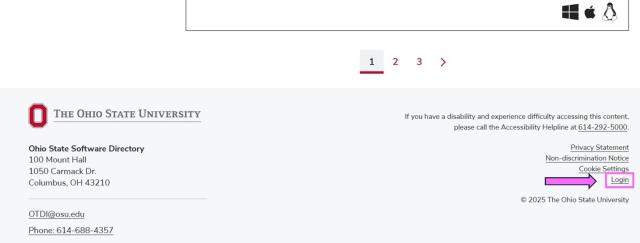
From the Ohio State Software Directory homepage, scroll to the bottom of the page and click "Login."
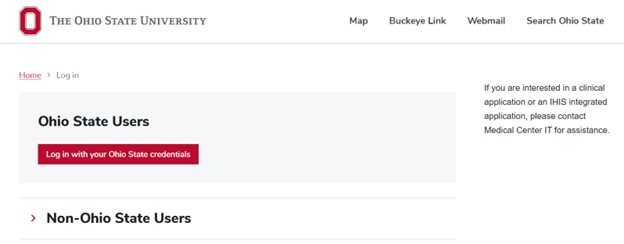
Click the red button link labeled "Log in with your Ohio State credentials" and log in again with your Ohio State username and password.
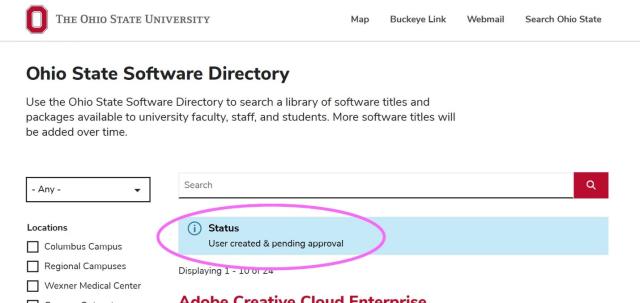
If you do not yet have access to edit the catalog, your login attempt will trigger a request for access, as indicated in the blue box on this screen:
- To have your request approved, please email BF-softwarequestions@osu.edu indicating that you would like to be added as a content editor for the software directory.