Definitions
SiteID
The name of your OTDI Webhosting Account which may (or may not) match your site’s main web address. For example, https://osu.edu is The Ohio State University’s main web address, but their OTDI Web Hosted SiteID is ‘osumain’.
Web Root
The full path to where your website account is stored on our servers. This is useful for SSH users or websites that require you to tell them exactly where they live on the filesystem. For OTDI Web Hosting, this is typically:
/usr/local/webs/[SiteID]/Document Root
The directory that will contain the web pages visible to your public. For WH this is typically /usr/local/webs/[SiteID]/htdocs/ but for Ruby-on-Rails it needs to be:
/usr/local/webs/[SiteID]/ruby/public/Shell User:
Users who are allowed to connect directly to the Web Hosting system via an SSH shell. Instructions for setup & use can be found in this article.
Process
Check/Set Your Container Image
In the OTDI Web Hosting Dashboard, under the ENV Configs section of the SiteID you plan to use for your Ruby-On-Rails application, check that it’s set to a Ruby-on-Rails server image. If it’s not, choose & save a Ruby-on-Rails image that suits your purpose.
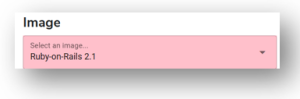
Saving your new image will trigger several processes on the OTDI Web Hosting Servers, rebuilding your Kubernetes Containers with the new Ruby-on-Rails image. These processes may take up to 45 minutes to complete.
Ensure You Are A Shell User
In the OTDI Web Hosting Dashboard, ensure your name.# has been added to the Shell users’ group.
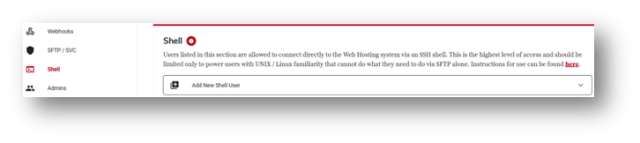
Connect to Web Hosting Via Secure Shell
ssh [name.#]@webssh.osu.eduChoose the SiteID you want to use, from the list provided. If you can’t connect, Sponsored Guest Connections may help.
Verify the Ruby-on-Rails Document Root was successfully generated
ll /usr/local/webs/[siteID]/ruby/If your results do not include a /public/ directory, please contact us.
Test your website
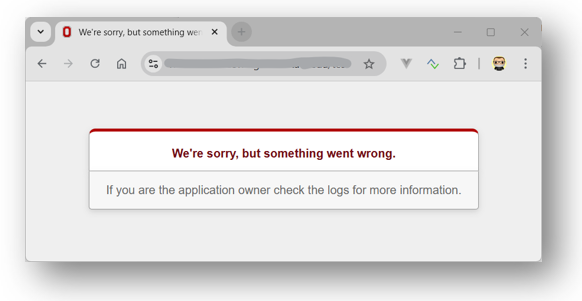
Open a Web Browser & navigate to your Application’s URL. Unless you've already setup your application, you will receive a “We're Sorry” page, as the Ruby-on-Rails container image will not produce a working website on its own, without a proper configuration.
Notes
View your Ruby Production Log
The production log for the Ruby-on-Rails is not in the same location as other Web Hosting Logfiles. You can find it here:
/usr/local/webs/[SiteID]/ruby/log/production.logKnown Webhook Catch-22
The Ruby-on-Rails container image will not produce a working website without a proper server configuration. (Flat file & Database ) Most developers first use sFTP to upload their application code, and that works well. However, should you later plan to use our Gitlab Webhook service to manage the CI-CD of your application code, you’ll need to remove the files you uploaded earlier. The initial ‘Pull’ request issued by our Webhook service will fail if the local directory isn’t completely empty. (ie: No 'Overwrite' permissions)