In the event that an OTDI employee needs to borrow a laptop (for example the employee has a desktop machine and needs a laptop for travel purposes) they may use the OTI Client Computing Services Loaner Request item.
Start by visiting the Self Service Portal and log in using your Ohio State Username (lastname.#) and password. If you have trouble with your password please contact the IT Service Desk at 614-688-HELP(4357) for assistance.
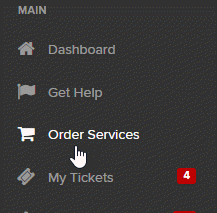
Click on Order Services on the left side of the screen.
Click the Client Computing Services category.

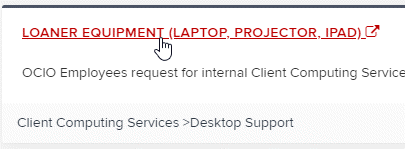
Next click Loaner Equipment (Laptop, Projector, iPad) to launch the request item.
The form that opens must be completed as thoroughly as possible. Any field with a * is required and must be completed before the request can be submitted.
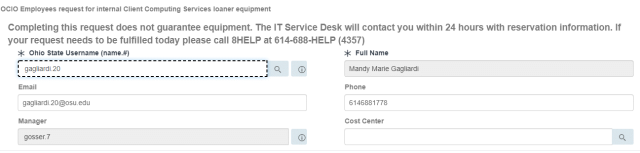
The top portion of the order form consists of User Information. The requester username will be filled out based upon whoever is logged into the Self Service portal. Username will need to be populated with the employee's information that will be using the loaner. If you are making this request on behalf of someone else you MUST place their username in the field.
Manager Information should auto fill as well. Verify the email address and phone number so that the employee receiving the loaner equipment may be contacted if necessary.
Location Information will need to be populated. Choose the building name from the building list and the room number from the Room list.

The Request Information section provides you the ability to specify details of the request. Specify a Delivery Date, Delivery Time and Return Date. In the Equipment Type field you may choose from:
- Mac Laptop
- iPad
- PC Laptop
- Projector
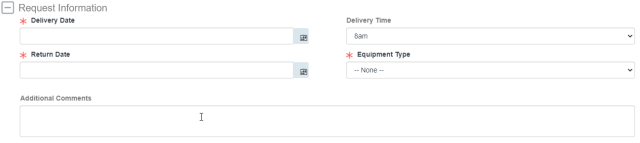
The Additional Comments field can be used to pass along any necessary information that is needed that does not belong in the other fields.
Once the form has been filled out completely then clicking Order Now in the upper right hand side will add the item to the Shopping Cart.
Finally click the Checkout button to complete the request. You will be contacted by Desktop Support to complete the loan.
Need Help?
We are here for you. For technical support, please contact the IT Service Desk:
- Phone 614-688-4357 (HELP)
- Email servicedesk@osu.edu
- Online go.osu.edu/it
- In Person BuckeyeBar locations