Reports can be saved globally for use by multiple users, to groups for use by that one group to they can be saved to an individual.
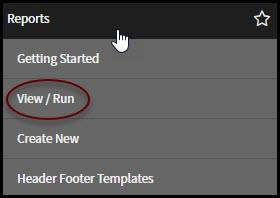
To search for different reports that you have access to start by clicking on View/Run under Reports in the navigation panel on the left.
At the top of the Reports page there are buttons used to view different reports based upon access. The buttons are:
- My Reports - This is a listing of all reports you have created
- Group - This is a listing of all reports created by your Group
- Global - This is a listing of all reports that have been shared globally
- All - This is a listing of all reports that are accessible by you

The star icon to the left of the report name is a "favorites" feature. If the star is solid blue then the report is marked as a favorite, making it easier to find. If the star is solid white, then the report is not marked as a favorite.

You may search for reports with specific keywords in the title by using the search field in the upper right-hand corner of the screen. Type in the key word(s) and hit the enter key on your keyboard. Your list will update showing you only reports in that access with the associated keyword(s).
