Google Slides is a cloud-based presentation tool that allows the creation and delivery of engaging slideshows from anywhere. It is designed to facilitate dynamic, visual storytelling and is an ideal platform for collaborative presentations, team updates, and project proposals.
Key Features and Benefits
- Real-Time Presentation Building: Multiple team members can work on the same presentation at the same time. This is especially useful for a team to collectively build a slide deck, with everyone contributing their slides or providing feedback instantly.
- Live Comments and Feedback: You can insert comments directly on a slide or on a specific element, making it easy to provide feedback, ask questions, or assign tasks. This keeps the conversation tied directly to the content, streamlining the review process.
- Version History: Like other Google Workspace apps, every change in a presentation is automatically saved. You can view a complete history of who made which edits and revert to a previous version if needed, ensuring no work is ever lost.
- Integrated Multimedia: Google Slides makes it simple to embed images, charts from Google Sheets, and videos (including YouTube videos) directly into your slides. This allows for rich, interactive presentations without the need to manage separate media files.
- Accessible from Any Device: Your presentations are stored in the cloud, so you can access and edit them from any device with an internet connection. This provides flexibility for remote work and last-minute updates, whether you are on a computer, tablet, or phone.
- Broad Compatibility: Google Slides works seamlessly with Microsoft PowerPoint files, allowing you to import existing presentations and export your finished work in a variety of formats, including .pptx and PDF.
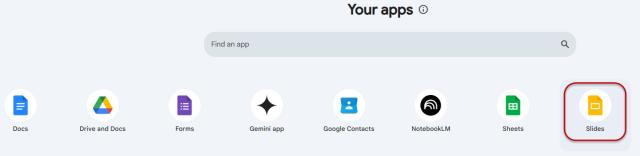
Google Slides can be accessed from the Slides icon in Google Workspace or through the web browser at docs.google.com/presentation. Remember, log in using your Ohio State username (lastname.#@osu.edu) and password to use the Ohio State managed account.
Important Information
Providing access to Google tools in addition to our Microsoft tenant allows members of our organization to collaborate with other institutions that may rely on the Google suite of products.
No one at the university is required to adopt the use of these available Google products.
Google Drive, Colab, NotebookLM, Gemini, Sheets, Docs, and Slides are collaborative tools designed to enable research in pursuit of the AI fluency initiative. As such, these services are approved for use with Research Data, Research Health Information, and FERPA data. Regulated data including (but not limited to) PCI, ITAR, CUI, and HIPAA are not approved for use with these services.
If you have questions about the sensitivity of data you plan to use with these services, please email the Data Governance Team.