Google Sheets is a cloud-based spreadsheet application that is used to create, manage, and analyze data together in a single, shared document. It is a vital tool for everything from managing budgets and project trackers to analyzing data and creating reports, with an emphasis on real-time collaboration.
Google Sheets provides tools for agile, data-driven collaboration.
Key Features and Benefits
- Simultaneous Editing: Google Sheets eliminates the issue of version control. Multiple users can work on the same spreadsheet at the same time, with every edit being instantly visible to all collaborators. This ensures everyone is always working with the most up-to-date information.
- Powerful Functions and Formulas: The application includes a comprehensive library of functions for performing calculations, analyzing data, and automating tasks. It supports standard spreadsheet formulas, as well as unique functions for working with web data (=GOOGLEFINANCE, =GOOGLETRANSLATE).
- Dynamic Data Visualization: Easily transform your data into meaningful insights. Google Sheets provides a variety of chart and graph types that update automatically as the underlying data changes, making it simple to create and share dynamic reports.
- Robust Sharing and Security: Share spreadsheets with specific team members, or others outside of our organization. Granular permission settings allow you to control who can View, Comment, or Edit a spreadsheet, and you can even protect specific cells or entire sheets from being changed.
- Filter Views: A unique and powerful feature for collaboration. Filter views allow individual users to sort and filter data for their own needs without affecting what others see. This means multiple people can analyze the same dataset in different ways at the same time.
- Version History: Every change to a spreadsheet is automatically saved. You can access a detailed history of every edit, see who made changes, and restore a previous version of the document at any time.
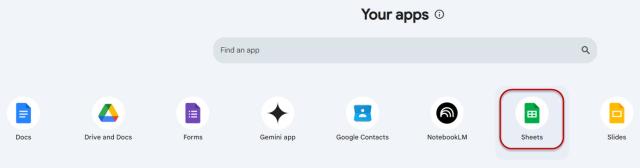
Google Sheets can be accessed from the Sheets icon in Google Workspace or through the web browser at docs.google.com/spreadsheets. Remember, log in using your Ohio State username (lastname.#@osu.edu) and password to use the Ohio State managed account.
Important Information
Providing access to Google tools in addition to our Microsoft tenant allows members of our organization to collaborate with other institutions that may rely on the Google suite of products.
No one at the university is required to adopt the use of these available Google products.
Google Drive, Colab, Gemini Notebook, Gemini, Sheets, Docs, and Slides are collaborative tools designed to enable research in pursuit of the AI fluency initiative. As such, these services are approved for use with Research Data, Research Health Information, and FERPA data. Regulated data including (but not limited to) PCI, ITAR, CUI, and HIPAA are not approved for use with these services.
If you have questions about the sensitivity of data you plan to use with these services, please email the Data Governance Team.