Google Docs is a cloud-based document processing application that allows users to create, edit, and collaborate on documents in real time.
Google Docs is the central hub for document creation and teamwork in the Google environment.
Key Features and Benefits
- Real-Time Collaboration: Multiple users can work on the same document simultaneously, seeing edits and cursor movements in real time. This feature is ideal for group projects, collaborative writing, and taking meeting notes.
- Version History: Every change is automatically saved, and a detailed version history is maintained. This allows you to easily review past edits, see who made changes, and restore a previous version of the document if needed.
- Sharing and Permissions: Documents can be securely shared with specific individuals or groups. You can set permissions to View, Comment, or Edit, giving you full control over who can access and change your work.
- Commenting and Suggestions: The application includes robust tools for feedback. You can add comments to specific text, tag colleagues to get their attention, or use "Suggestions" mode to propose edits without changing the original text.
- Access from Anywhere: Because Google Docs is cloud-based, you can access your documents from any device with an internet connection—whether on a desktop, laptop, tablet, or smartphone.
- File Compatibility: Google Docs is compatible with a wide range of file formats, including Microsoft Word (.docx). You can easily import existing documents and export your work into various formats like PDF or .docx.
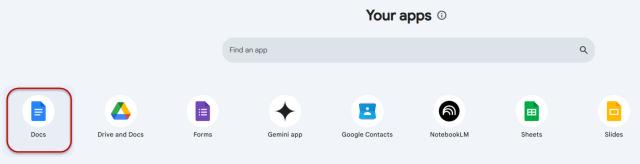
Google Docs can be accessed from the Docs icon in Google Workspace or through the web browser at www.google.com/docs. Remember, log in using your Ohio State username (lastname.#@osu.edu) and password to use the Ohio State managed account.
Important Information
Providing access to Google tools in addition to our Microsoft tenant allows members of our organization to collaborate with other institutions that may rely on the Google suite of products.
No one at the university is required to adopt the use of these available Google products.
Google Drive, Colab, Gemini Notebook, Gemini, Sheets, Docs, and Slides are collaborative tools designed to enable research in pursuit of the AI fluency initiative. As such, these services are approved for use with Research Data, Research Health Information, and FERPA data. Regulated data including (but not limited to) PCI, ITAR, CUI, and HIPAA are not approved for use with these services.
If you have questions about the sensitivity of data you plan to use with these services, please email the Data Governance Team.